Version 0.19.0 is live on orbit2d.co and in the
Android build. It changes no rule of the simulation. It
changes one screen, and it is the screen the whole middle of the game points at.
A price list is not a shop
The lander is the reason to dig. Six parts to salvage, fuel to render, then a crossing to another
world with whatever fits in the hold. Until today the panel that governed all of that was a list:
six rows, a name, a sentence, a price written out in words, and a button that either worked or was
greyed out. Functionally complete and completely flat — the game equivalent of a cardboard cutout of
a shop, and nobody browses a cutout.
Three things were missing, and none of them were features. You could not see the thing you were
building. You could not see whether you could afford the next part without leaving and opening the
bench. And you could not see what the hold was carrying, which is the part that decides whether a
crossing is worth flying at all.
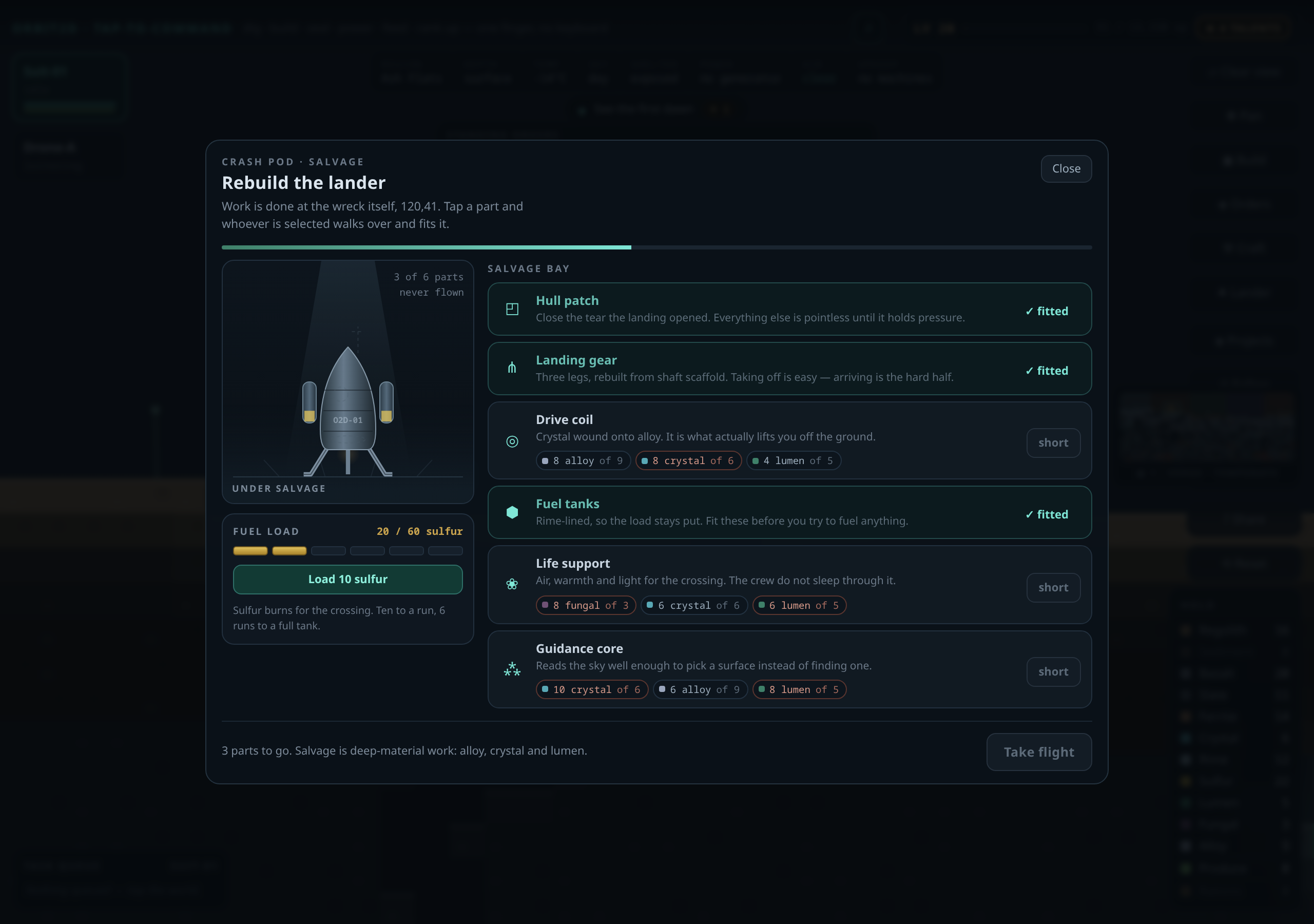
Draw the thing, in code
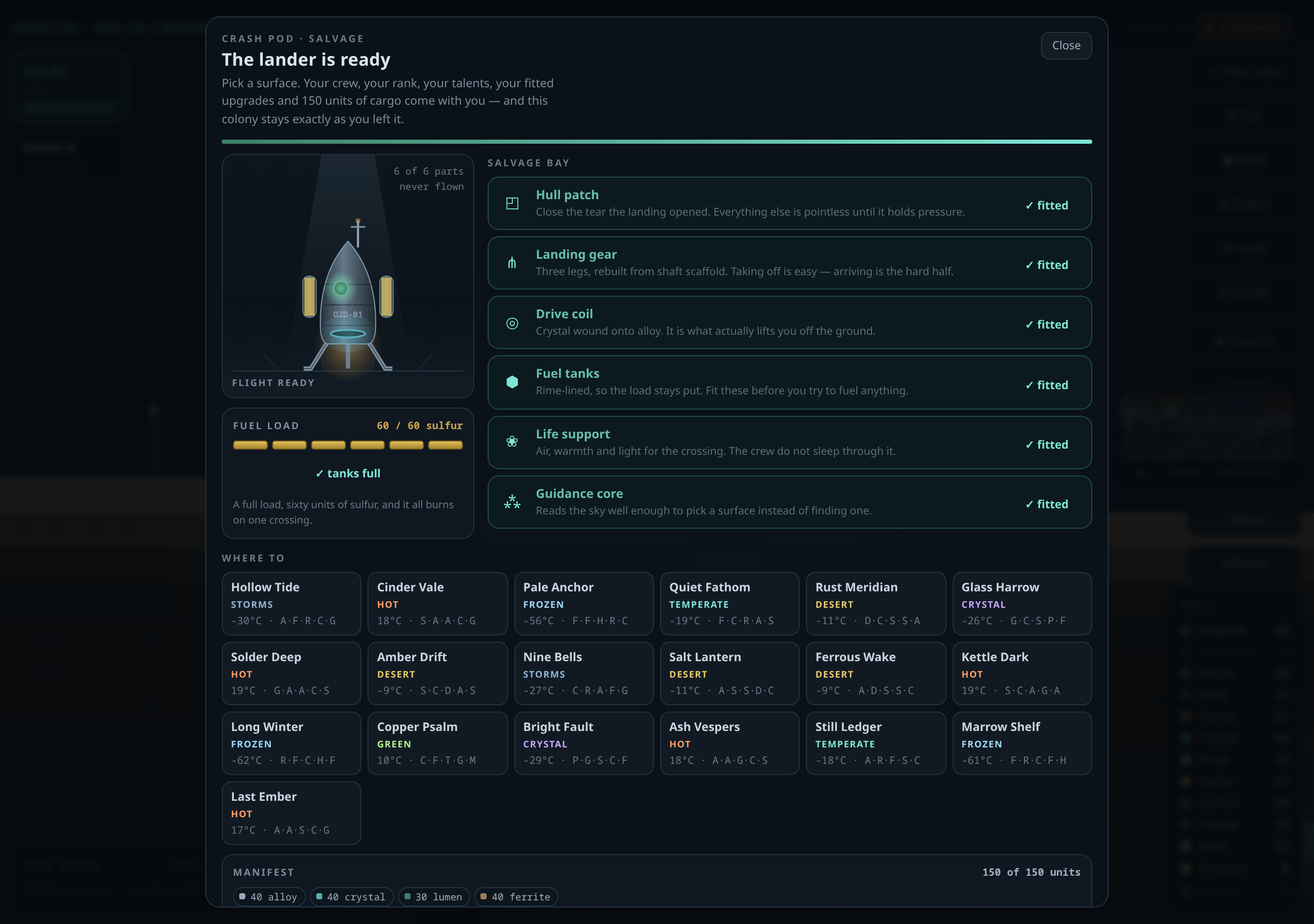
The left column is now a hangar: a canvas that draws your lander part by part from what you have
actually fitted. Hull, legs, tanks, engine bell, drive coil, mast, life support. The parts you have
not salvaged yet are still there as dashed ghosts in position, so the shape of what is missing is
visible instead of implied by a list. It is not an illustration loaded from a file — there is no
file. It is the same drawing code the rest of the game uses, so it reflects state: the tanks fill as
you render fuel, the exhaust blooms, the coil glow turns, life support pulses, the mast light blinks,
a work light falls from overhead, and the hull carries a serial that counts your crossings. A caption
underneath says plainly which of the four states you are in — the wreck, under salvage, whole but
unfuelled, flight ready — and how many of the six parts are in.
It animates only while the panel is open. The loop starts when the panel opens and is cancelled
when it closes; a closed shop costs nothing.
Prices you can read without leaving
Every part now shows its cost as material chips — a coloured dot, the amount needed, and what you
actually have: 8 alloy of 9. Short amounts go red. That one change turns the panel from a
gate into a shopping list: you can see at a glance that you are one alloy short of the drive coil and
go and dig for it, instead of guessing and coming back. The chip colours are pulled from the build
tables rather than a second hand-kept palette, so a material can never be one colour in the shop and
another in the bench.
The fuel pump is its own card now, with a gauge, six pips, and a plain sentence about how much a
crossing needs — sixty units, ten to a press. And the hold has a manifest: what is on board, as
chips, against the hundred-and-fifty-unit limit, because what survives a crossing used to be
invisible until you had already flown. Fitted parts are deliberately faded, so the rows you can still
act on are the ones that catch your eye.
How it was built and how it is checked
The game is still a single self-contained HTML file, so the redesign was applied by a patch script
that matches exact strings and aborts loudly if it finds the wrong number of them — the only way I
trust surgery on half a megabyte of one file. And it is checked by a new suite of forty-two headless
browser assertions: that the hangar canvas actually draws pixels at every salvage state, that the
ghosted parts match the unfitted ones, that the chips match stores, that the pump maths adds up, that
the manifest totals the hold, and that nothing overflows the frame on a 390-pixel phone. The rank
ladder suite and the home-page suite still pass unchanged.
Your save carries over. If you were mid-salvage, you will now see exactly how far off you are.
Leave a Reply