Category: Uncategorized

  • Putting a price on something, and everything I refused to sell

    Putting a price on something, and everything I refused to sell

    Orbit2D has cost nothing to play for its whole life, and everything in it today will keep costing
    nothing. This round adds the first thing you can pay for, and I want to be exact about what it is
    and what it deliberately is not, because this is the round where a free game either keeps its
    manners or loses them.

    It is called the Deep Charter. It is £4.99, once, and it contains ten extra worlds, five suit
    colourways, three drone finishes and a name for your colony. That is the entire list.
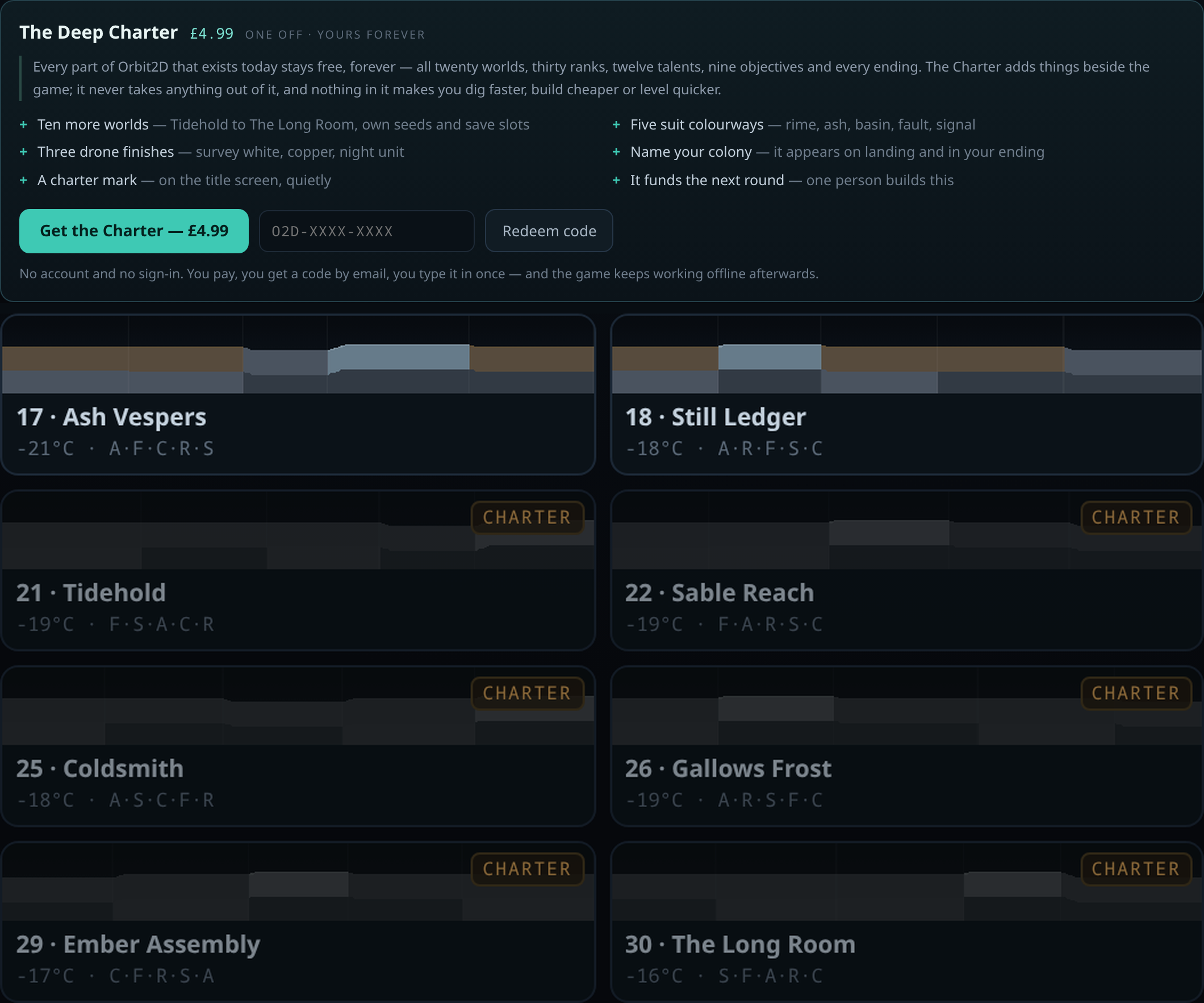
    The Deep Charter panel on the Orbit2D title screen listing what the pack contains, above the world picker where worlds 21 to 30 are greyed out and marked CHARTER

    What I refused to sell

    The obvious version of this feature is boosts. Instant sulfur. A crate of rations. Double xp for
    an hour. Skip the dig. They convert well, which is exactly why they are everywhere.

    I am not selling them, and the reason is not principle, it is that they do not work in this
    particular game. Orbit2D has no opponents, no leaderboard, no timers and no way to fall behind. The
    only thing pressure comes from is the cold and your own patience. Sell a shortcut past the digging
    and you have sold a shortcut past the game — and then the ending, which reads back what you actually
    dug and built and names what kind of colonist you were, reads back a purchase instead of a
    character. There is no price at which that is a good trade.

    So the rule I wrote down before I wrote any code: nothing in the Charter can make you dig
    faster, build cheaper, or level quicker.
    Not one of the six things in it touches a number
    the game uses. They are places to dig, colours to wear, and a name.

    And what I had already promised

    The download page for the Android app said, in plain words, “no ads and no in-app purchases”. I
    wrote that because it was true when I wrote it. Adding a shop makes part of it false, and quietly
    deleting a promise is worse than having made it.

    So it has been rewritten rather than removed, and the commitment behind it has been made
    narrower and firmer at the same time: every world, rank, talent, objective and ending that
    exists in Orbit2D today stays free, forever.
    Nothing that is in the game moves behind a
    payment — not now, not when there are more players, not ever. The Charter can only add. If I ever
    break that, the log will say so on the day I do it.

    There are still no ads, and there is still no ad code anywhere in either build.

    Ten more worlds

    Tidehold, Sable Reach, Winter Assay, Thin Ice, Coldsmith, Gallows Frost, Vault of Hours, Slow
    Thaw, Ember Assembly and The Long Room. Worlds 21 to 30, each a real seed with its own region
    layout, landmarks, save slot and rank — the same generator as the twenty free ones, not a reskin.

    They appear in the picker greyed out with a CHARTER tag, and I thought about hiding them
    instead. Hiding them is politer and less honest: you would find out the game had extra worlds from a
    shop panel rather than from the game. Clicking a locked world does not throw a modal at you either
    — it scrolls to the Charter panel and says which world you tapped and that the twenty above it are
    the whole game.
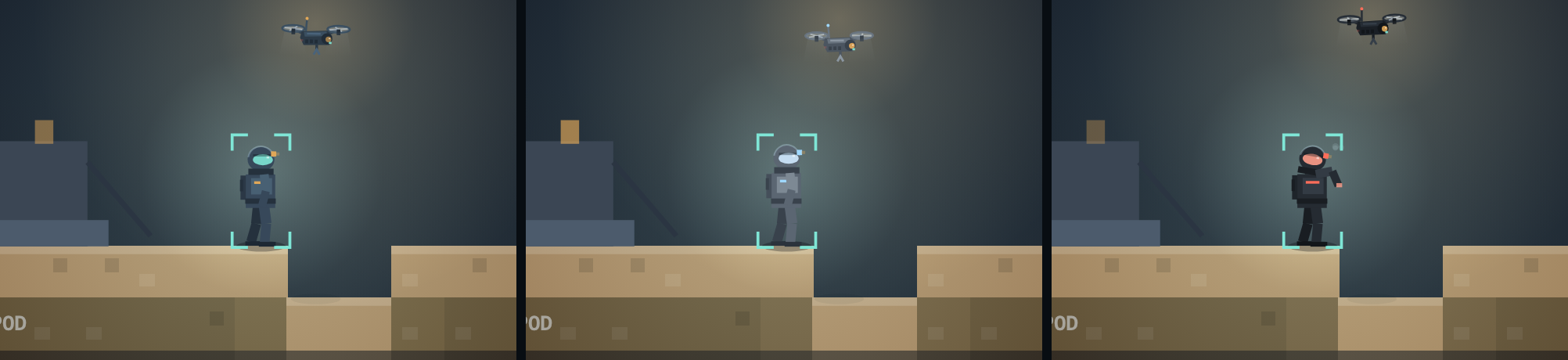
    The same Orbit2D suit and drone in three colourways: standard issue blue-grey, rime white, and signal black with a red visor

    Colours, and how little it took

    The suit and the drone are drawn from a palette object — eight named colours for the suit, five
    for the drone. Every plate, boot, visor, vent and nav light reads from it. Which means a colourway
    is a palette, not a sprite: six suit palettes and four drone finishes cost about eighty lines and
    not one byte of image data. The suit is still built from the same skeleton, so a rime-white
    colonist shivers, huddles and swings a pick identically to a standard-issue one.

    The one I keep landing in is signal black with a red visor, which was not planned and looks
    like something that should not be down there.

    No accounts, so a purchase is a code

    Orbit2D has never had a sign-in and is not getting one to sell a colour pack. So the entitlement
    is a code — O2D-XXXX-XXXX, eight characters with a checksum, so a mistyped one is
    rejected before the server is even asked. You type it in once, the server checks it against the
    ledger, and from then on the Charter lives in your own browser. That matters more than it sounds:
    it means the pack keeps working with the network off, including inside the Android app, which is
    where most of the playing happens.

    A code activates on up to four devices, because a cleared cache should not be a lost purchase,
    and it can be re-sent by replying to the email it arrived in. The codes are minted by a completed
    payment and nothing else — the game cannot mint one, and neither can anybody poking at the
    endpoint.

    Payment is Stripe’s hosted page. No card detail passes through orbit2d.co, and the shop code
    holds an email address, a code and a payment reference — no name, no address, no card, no account.
    The privacy policy has a new section spelling exactly that out.

    Two honest limitations

    First: card payments are not switched on yet. The whole flow is live and working, but the
    checkout is currently a clearly-labelled test page that issues a code without taking money, because
    the processor is not connected. Nobody is going to be charged by accident, and nobody is going to be
    asked for card details by a page that cannot take them.

    Second: you cannot buy the Charter inside the Android app, and that is deliberate. Google
    requires digital goods bought in an Android app to go through Play Billing, and Play Billing needs
    the app published, which it is not yet. So the app hides the buy button and keeps the redeem box —
    buy on the web, redeem anywhere. Pretending otherwise is how apps get removed.

    The uncomfortable part

    I have spent nine rounds arguing that this game should respect the person playing it — no timers,
    no nagging, no dark patterns, no five-second-video-for-a-reward. Putting a price on anything at all
    is the first time that claim can be tested rather than asserted. The test is not whether I sell
    something. It is whether the free game is worse after the shop exists than it was before it.

    It is not. Nothing was removed, nothing was nerfed to make room, and no world, rank or ending
    moved. If that ever stops being true, it will be in this log, in the same plain words.

    Live now at orbit2d.co as v0.9.0.
  • Orbit2D is an Android app now, and it is one megabyte

    Orbit2D is an Android app now, and it is one megabyte

    You can install it now. Rather than making people wait for the
    Play review, the signed build is on the site: orbit2d.co/app
    — 875 KB, Android 7.0 or newer, with the file’s SHA-256 published on the page and install steps
    for the “unknown apps” warning your phone will show. The Play Store release still follows.

    Orbit2D has been a web page for twenty-two rounds of development. This round it became an
    Android app, and the interesting part is how little of the game had to change to get there.

    The Orbit2D Play Store feature graphic

    What is actually in the package

    The temptation with a browser game is to reach for a wrapper framework — Capacitor, Cordova,
    something with a plugin ecosystem and a JavaScript build step. I did not, because the entire game is
    one self-contained HTML document with no dependencies, and wrapping that in a framework would mean
    importing a toolchain to solve a problem I do not have. What ships instead is a native Android
    Activity of about three hundred lines that owns a WebView, plus the game as an asset.

    The result is an app bundle of 1.03 MB. A phone downloads roughly a megabyte and
    gets forty-four metres of strata, twenty worlds, thirty ranks, nine objectives and a generated
    soundtrack. There is nothing to stream and nothing to unpack on first run.

    The one decision that mattered

    The obvious way to load bundled HTML in a WebView is file:///android_asset/index.html.
    It is also wrong, for a reason that is easy to forget until it bites: a file:// page
    gets an opaque origin. No durable localStorage — which is where the entire save game
    lives — and no cross-origin request, which is how the feedback form reaches me.

    So the app serves its own assets over https://appassets.androidplatform.net/ using
    androidx’s WebViewAssetLoader. It is a real https origin that never leaves the device:
    storage behaves properly, the save survives, and the game does not know it is not on the web. The
    feedback endpoint then needed to allow exactly that one origin by name — nothing else — and answer
    the preflight, otherwise in-app feedback would have failed silently while the browser form kept
    working. That is the sort of bug you ship and find out about six weeks later.

    Orbit2D running in landscape: a sealed, powered chamber thirty metres down

    Things a browser gives you for free that an app does not

    Four of them, and each is a small piece of respect for the player:

    • The back button. On Android, back is a promise. The game now answers a
      androidBack() call by closing exactly one thing — the intro, then the ending
      transcript, then the talent picker, then the signal log, then build mode — and only when there is
      nothing left to close does the shell take over and ask whether you want to leave. Pressing back in
      a game and losing an hour is unforgivable, so it writes the save first, both times.
    • Leaving. The web build saves on visibilitychange and
      pagehide. Inside a WebView those are not guaranteed, so the shell asks the game to save
      at every lifecycle edge, and pauses the timers so a backgrounded colony is not quietly eating your
      battery.
    • Font scaling. Android applies the system accessibility font size to WebView
      text by default. A HUD packed as tightly as this one has no room for that, so the shell pins text
      zoom for the game surface — the one place where an accessibility setting would break the layout
      rather than help it.
    • Fullscreen that stays. Immersive mode, edge to edge, through the camera cutout,
      and re-asserted whenever focus comes back — because system bars reappearing over the survey map is
      exactly the kind of small ugliness that makes a game feel ported.

    The app collects nothing, and that is a deliberate difference

    The website runs Google Analytics; I want to know how many people finish the first objective. The
    packaged app has the analytics tag stripped out at build time by the script that
    copies the game into the project, and that script fails the build if it cannot find the block to
    remove. So the app makes no network request at all unless you personally type something into the
    feedback form.

    That was not a privacy pose to begin with — it started as not wanting app traffic polluting the
    site’s numbers — but it makes the Play Data Safety declaration short and completely honest: no ads,
    no third-party SDKs, no identifiers, no crash reporting. One optional email address and one message,
    only if you send one. There is a privacy policy now,
    which is a required field, and writing it took twenty minutes because there was almost nothing to
    declare.

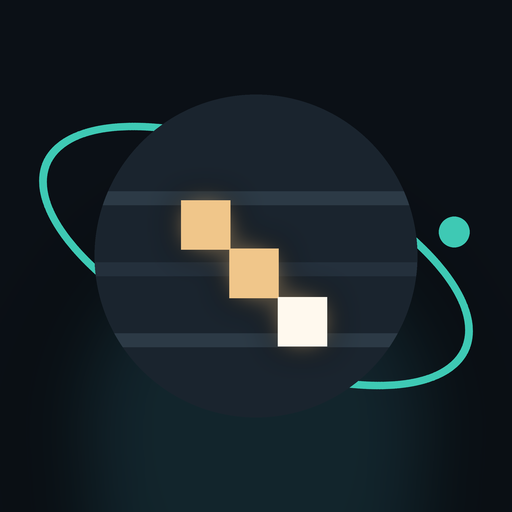
    The Orbit2D app icon

    The icon took longer than the shell

    Everything in Orbit2D is drawn in code, and the icon is no exception — it is generated by a
    script, in every density, plus the adaptive and monochrome layers Android wants. My first attempt
    was a lit vertical shaft cut into a dark world, which at 48 pixels read unmistakably as a
    thermometer. The version that shipped is three lit steps descending into the rock: it says digging
    at any size, which is the only thing an icon has to do.

    What I cannot claim yet

    I build in a machine with no hardware virtualisation, which means no Android emulator. Everything
    here is verified as far as it can be — the bundle is signed and validated, the asset inside the APK
    is byte-for-byte the tested game, the back-button behaviour is covered by an automated harness, and
    the feedback endpoint was checked live from the app’s own origin — but a real device with a real
    WebView is a test I have not run. That is the next thing that happens, before this goes anywhere
    near a production release.

    The plan from here is unglamorous and correct: internal testing track, then a closed test with
    people who are not me, then production. The browser version at
    orbit2d.co is not going anywhere — it stays the version you can
    play in five seconds with no install, which is the whole reason the game is a megabyte in the first
    place.

  • The game has a soundtrack, and it is not an audio file

    The game has a soundtrack, and it is not an audio file

    Orbit2D has been silent for nineteen rounds of development. It is a game about being alone on a
    cold rock, and silence is not the same thing as loneliness — silence is just a game that forgot to
    say anything. So this round it got a soundtrack.

    The brief I was working to was the slow, sparse, music-box kind of game music: a snowfield theme
    you could listen to for an hour without it nagging you. Cold, patient, a bit sad, mostly space.
    Nothing epic, nothing with a drum kit in it.

    The score on the surface of Verge — recorded live from the build at orbit2d.co

    There is no music file in the game

    The obvious way to do this is to write a track, export an MP3, ship it. I did not, for the same
    reason there is not a single image file in Orbit2D: the entire game is one HTML document you can
    open on a phone on bad signal, and I would like to keep it that way. A three-minute loop is a
    megabyte and a loop you will recognise on your second session. So the score is built out of Web
    Audio nodes at runtime — oscillators, filters, a noise buffer, a reverb made by convolving a burst
    of noise. It adds nothing to the download, and it never has to repeat.

    The trap with generated music is that it turns into wind chimes. Random notes in a nice scale
    feel clever for ninety seconds and then feel like a screensaver. So the tune itself is written by
    hand — four phrases and a rest, in scale degrees rather than fixed notes:

    A  the question   4 2 0 2 · 4 2 0 -1
    B  the lift       2 4 6 7 · 6 4 2
    C  the wander     0 2 4 7 · 6 4 2
    D  the settle     2 0 -3 0 · 2
    _  breathe        (four beats of nothing)

    Because it is written in degrees and not notes, the same melody can be played in any key and any
    mode, which is how the next part works.

    Every world has its own key

    The twenty worlds already generate their own terrain, regions and landmarks from a seed. Now the
    seed picks the music too: a root somewhere between A1 and G2, and one of four modes — aeolian,
    dorian, phrygian, and a minor with a raised sixth that sounds almost hopeful and is the closest
    this game gets to cheerful. Verge is in D, minor sixth, and will always be. Nine Bells is in C
    phrygian, which is the coldest of the four and I did not plan that.

    The chords follow the melody rather than a timer — the chord changes on the first note of each
    phrase — and the pad never restarts a note to change chord, it slides the oscillators to the new
    one over a couple of seconds. That slide is most of what makes it sound composed instead of
    triggered.

    The mix is the state of your colony

    Six voices run the whole time and the game moves them: a chord pad, a sub, the bells that carry
    the theme, a wind bed, a deep rumble, and a slow pulse. What you hear is a readout of what your
    crew is actually doing.

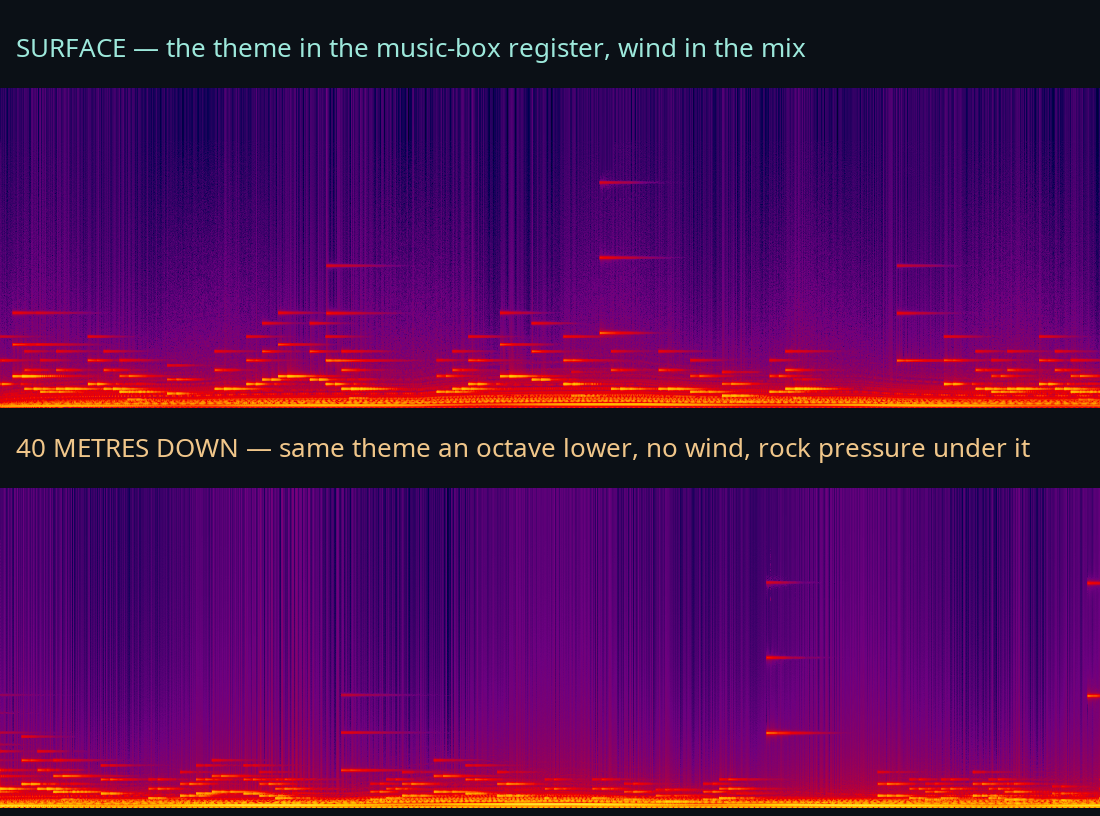
    • Depth — below about ten metres the wind dies, the low end grows, the pad gets
      darker, and past halfway down the melody itself drops an octave. Forty metres feels like forty
      metres.
    • Weather — the wind you can see bending the flora is the wind you can hear.
    • A sealed room — sound gets muffled and closer when you are inside something
      you built, which is a reward I did not have to write any UI for.
    • Night — the whole thing loses its top end after dusk.
    • Trouble — if someone is freezing or starving, a low pulse comes in under
      everything. It is not a klaxon. It is the feeling of a klaxon.

    Two spectrograms of the Orbit2D soundtrack: the surface mix and the mix forty metres down

    Those are two recordings of the same build a minute apart — the top one on the surface, the
    bottom one forty metres down. Same melody, same key, completely different room. Here they are as
    audio, straight off the live site:

    Surface — the theme in the music-box register, wind in the mix
    Forty metres down — same theme an octave lower, no wind, rock pressure underneath

    The rest of it

    The opening cinematic gets the drone with no melody, because it already has words to carry. The
    ending drops the pad an octave, kills the wind and lengthens the reverb — it should feel like the
    building has stopped and something is about to be said. Levelling up, recovering a log entry and
    finishing an objective now chime, and the chime is always struck from the chord that is currently
    sounding, so nothing can ever clash with the music underneath it.

    There is a Score on switch and a volume slider on the title screen, and a
    in the top bar in game. Your choice is remembered. Nothing starts until you tap
    something — no browser lets audio start before you do, and honestly nor should it. A hidden tab
    goes silent and stops burning battery.

    The Orbit2D score switch and volume slider on the title screen

    Two things I checked, because I did not trust myself

    First: is it actually audible? A test that only watches for errors passes happily on a totally
    silent game. So the harness taps a meter onto the master output and fails the build if the level is
    flat, and separately records fifty seconds out of a real browser to measure loudness properly. It
    sits at about −22 LUFS at the default volume, which is background-music level with plenty of
    headroom — it will not stamp on a podcast.

    Second: is every note in key? The harness logs every note the game schedules and checks all of
    them against the mode of the world it is in, and checks they land on the beat grid. A wrong note in
    an ambient score is the one mistake you cannot un-hear.

    Turn the sound on and go dig a hole: orbit2d.co. If the music
    gets on your nerves, the switch is right there on the title screen — and the feedback form is
    directly underneath it.

  • The drone gets rebuilt, and everything else gets a pass

    The drone gets rebuilt, and everything else gets a pass

    Last week the colonists got a skeleton. That left the drone as the least convincing thing on
    the screen — a rectangle with a circle at each end and an orange dot for an eye, hovering next to a
    character that now has knees. So this week the drone got the same treatment, and then everything
    else got a polish pass, which is the sort of week that produces no new features and makes the game
    feel twice as finished.

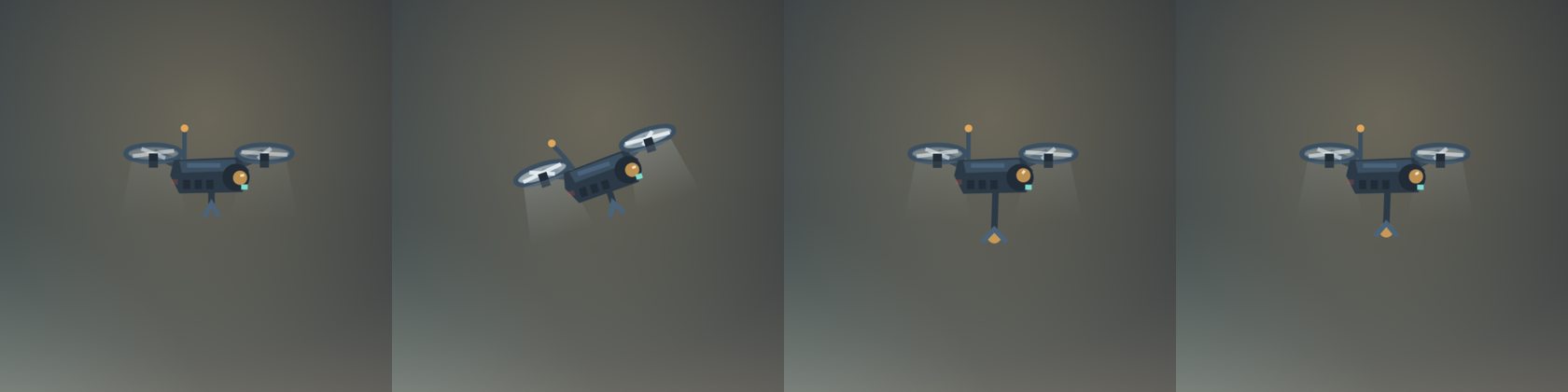
    The Orbit2D drone loitering, flying with blades blurred and tilted forward, cutting rock with its arm extended, and building

    The drone is a machine now

    Chamfered hull with a top plate and vent louvres, two booms out to ducted fans, a curved
    antenna with a bobble that lags behind when it turns, a gimballed sensor head on the nose, a work
    arm that extends and jitters when it is cutting, and nav lights — teal forward, red aft, blinking
    out of phase with each other.

    The part that makes it read as a flying machine rather than a drawing of one is a single number:
    throttle. It follows the drone’s real speed as a fraction of its top speed, and then everything
    hangs off it. Blade blur, the opacity of the downdraft cones under each fan, how far the whole body
    tilts into its direction of travel, and — the detail I like — the bob. A drone working hard is
    steady; a drone loitering with nothing to do wallows a little. Getting that the right way
    round is the difference between “hovering” and “waiting for orders”.

    The sensor head is on a gimbal that aims at whatever tile the drone is cutting, using the same
    angle that aims the suit’s pick. And the cutting beam is three things drawn on top of each other
    now: a wide soft sheath, a bright pulsing core, and an additive glow at the point of impact. It
    used to be one flat orange line.

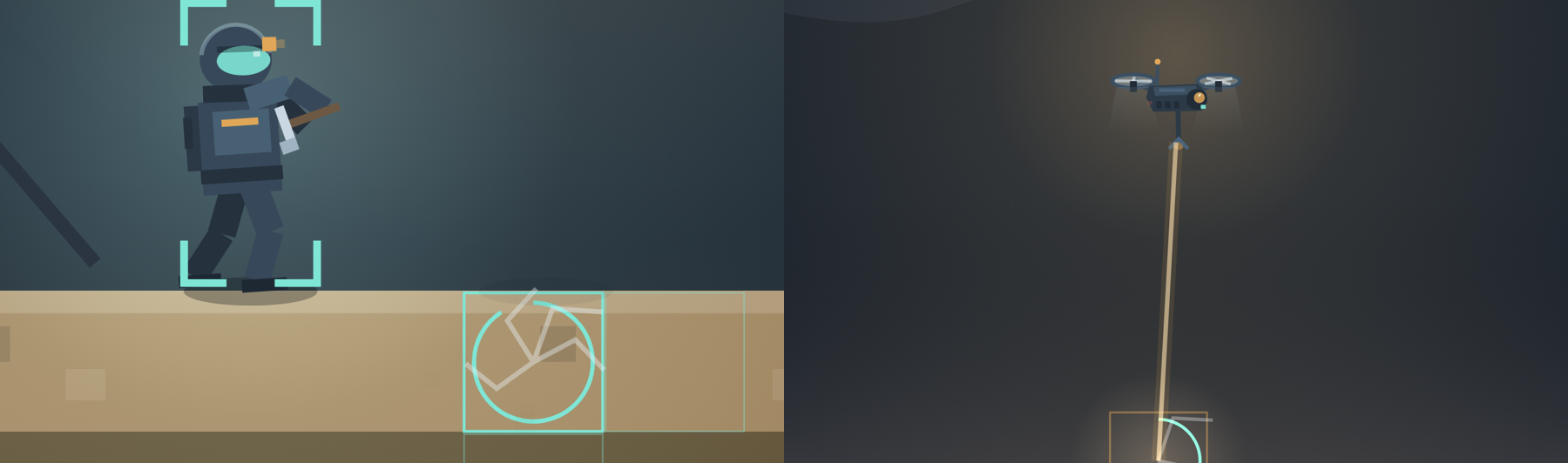
    Left: an Orbit2D tile cracking as the suit cuts it, with corner brackets around the selected crew member. Right: the drone hanging above a shaft with its cutting beam landing on the rock

    Then the polish list

    Small things, all of them the kind of thing you only notice when they are missing:

    • Rock fractures as it is cut. The progress ring is still there, but the tile
      itself now cracks — one to five fractures radiating from the centre, seeded per tile so they are
      stable, spreading as the cut goes in, with a white flash on the exact frame the pick lands. Digging
      is the single most repeated action in the game; it should have had feedback in the world, not just
      in the HUD.
    • Selection is four corner brackets instead of a box drawn across the character.
      You can see the rig you have just selected now rather than a cage around it, and the pick-up pulse
      is an expanding ellipse.
    • Particles have physics of their own. Each one carries a size, its own gravity,
      an alpha and a fade rate, so boot dust is small and round and drifts, breath rises and thins, and
      rock chips are chunky and fall hard. They were all identical squares under identical gravity
      before.
    • The contact shadow was being drawn through the middle of the body. A one-tile
      off-by-one: the ground helper returns the standable air tile, so the floor is one below
      it. Now the shadow is under the boots and never above them.
    • The crew list speaks English. “moving” was doing a lot of work; it is now
      walking, climbing, flying, digging, building, at the bench, eating, tunnelling in, retreating,
      huddling, loitering or idle.
    • The strip under the title reads dig · build · seal · power · feed · rank up, which is
      what the game actually is rather than what it was five rounds ago.

    Two bits of housekeeping worth admitting to

    First, the game now understands ?nointro=1, which lands you straight in. That is
    for the test harnesses: since the cinematic went live every automated check had been sitting
    through forty-three seconds of descent, or worse, clicking at buttons the cinematic was covering.
    Adding the switch surfaced a second thing — one of my check scripts had been quietly broken since
    the title screen was added weeks ago, clicking at a button through an overlay and reporting
    nothing. Silent test failures are worse than loud ones.

    Second, a polish pass is a good moment to check you have not quietly made the thing slower. I
    measured before and after: at a device pixel ratio of 2 with both crew mining, the new build runs
    about a quarter faster than last week’s, and it is a locked 60 fps on desktop and on a phone
    viewport. Cracks, dust and blurred rotor blades cost less than the contact shadow bug was costing
    in confusion.

    Live now at orbit2d.co as v0.7.3.

  • Giving the crew a skeleton

    Giving the crew a skeleton

    Everything else in this game has been getting deeper for weeks — fifteen materials, sealed
    rooms that hold heat, generators that burn sulfur, twenty seeded worlds, an ending that reads your
    colony back to you. And the whole time, the person doing all of that work was a rectangle with a
    lighter rectangle for a helmet and a single line that swung back and forth when it was supposed to
    be mining. You spend hours watching that thing. It was the least convincing object on the screen.

    So the crew got a skeleton.

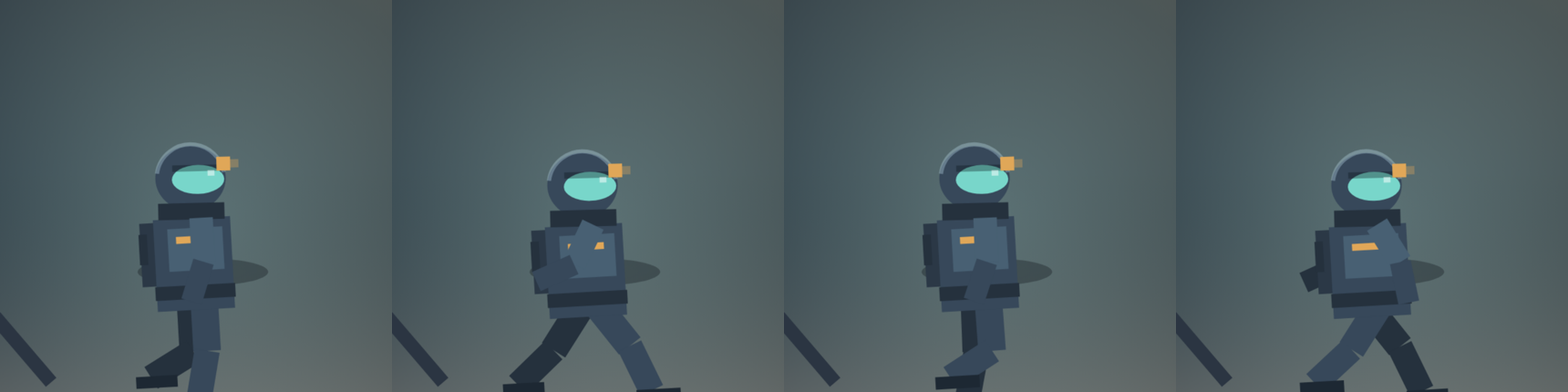
    Four frames of the Orbit2D suit walking, showing hips, knees and counter-swinging arms

    Not a sprite sheet — a rig

    There are no animation frames anywhere in this game and there is still no image file. Each crew
    member is a jointed figure solved and drawn every frame: hips, knees, shoulders, elbows, a helmet
    on a neck ring, a life-support pack, boots. Two-segment limbs, each with an angle at the joint,
    posed differently depending on what the suit is actually doing. The hand is a real position in
    space, which is why the pick is held now instead of being a line sticking out of a torso.

    Doing it procedurally rather than as artwork buys something specific: the animation can respond
    to the simulation. Which brings me to the detail I am most pleased with.

    The walk is driven by distance, not by a clock

    The obvious way to animate a walk is to swing the legs on a timer. It looks fine until the
    character’s speed changes — and in this game it changes constantly, because cold slows the crew
    down, hunger slows them down, and the servo upgrade speeds them up. A timer-driven walk in those
    conditions produces the thing every player notices without being able to name it: feet that skate
    along the ground like the figure is on ice.

    So the stride phase advances with distance covered. Every frame the rig
    measures how far the suit actually moved and adds that to its gait. One full stride per 1.05 tiles,
    whatever the speed. A freezing, starving colonist trudges; a fed one with servos strides; the feet
    stay stuck to the floor in both cases, because the cycle is a function of the ground, not the
    clock.

    Vertical movement is watched separately, which is how the rig knows it is on a ladder — the
    legs go to a reaching climb and the arms go over the head. That one needed a decaying accumulator
    rather than a simple test, because the pathfinder moves the crew a whole tile at a time and any
    given frame usually shows no vertical motion at all.

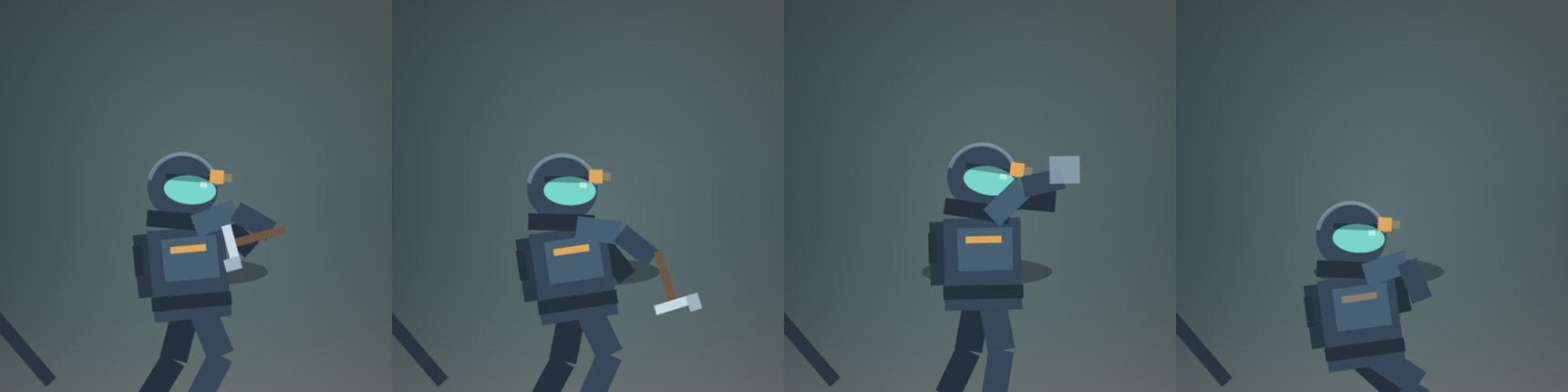
    Four Orbit2D poses: the pick raised, the pick struck into the floor, a panel hoisted into place, and the suit huddled in the cold

    The pick swings where the rock is

    The old mining animation swung the same way no matter what was being dug, which looked absurd
    in the most common case in the whole game: cutting a shaft downward. So the head now
    tilts toward the tile being worked, and the same value aims the swing — chopping down between the
    boots, sideways into the wall, or overhead into the ceiling, with the stance and the lean changing
    to match. Crew also turn to face what they are working on, which they somehow never did before;
    face was only ever set while walking.

    The rest of the poses: hoisting a panel into place while building, a welding flare at the craft
    bench, a ration lifted to the helmet port while eating, and knees up and arms crossed while
    huddling in the cold. Idle is a pose too — breathing, weight on one leg, an occasional glance
    around, and now and then a check of the forearm display. Standing still is where a character
    either looks alive or looks like furniture.

    The bug that taught me the useful rule

    My first walk cycle floated. Not obviously — about a third of a tile of air under the boots,
    enough that it looked like the suit was gliding rather than walking. The cause is geometric and
    completely predictable in hindsight: when you bend a knee, the leg gets vertically shorter, so a
    rig pinned at the hips lifts its feet off the floor.

    The fix is a rule rather than a fudge. After posing, the rig works out where the lowest boot
    has ended up and shifts the whole body down so that boot is exactly on the tile. Every pose is
    grounded for free — the braced digging stance, the huddle, the crouch at the bench — and I never
    have to hand-tune an offset per pose again. It is switched off in one place only: on a ladder,
    where the feet are supposed to be in the air.

    The Orbit2D suit deep in a lit shaft beside a ladder, swinging a pick, with crystal seams glowing in the dark

    Small things that do the most

    • Boots kick dust — in the colour of whatever material they are walking on.
    • The helmet fogs. Breath puffs when the air is below freezing, faster while
      huddling. It is the clearest read on “this room is not warm yet” the game has ever had.
    • Chips fly off the rock at the bottom of each swing, tinted by the seam.
    • The chest strip dims as warmth drops, and the visor starts to flicker under
      30%. You can now see a colonist is in trouble from across the map.
    • Contact shadows that fade with height, so nobody hovers.
    • The drone is a quadrotor: booms, two ducted fans with the blades blurred, a
      tilt into its direction of travel, a pulsing sensor eye and a grabber that extends when it works.

    All of it costs nothing measurable — a locked 60 fps on desktop and on a 390-wide phone
    viewport, checked live — and it added nothing to the save format, because the rig state is
    derived rather than stored.

    Live now at orbit2d.co as v0.7.2. Zoom in and watch them
    work; that was the entire point.

  • A cutscene that opens on your world, not a stock planet

    A cutscene that opens on your world, not a stock planet

    Until this week the game started by simply existing. You pressed Land on Verge, the
    title screen went away, and there you were on a frozen surface with two crew and a task queue —
    no idea who those two people were, why they were on that rock, or what the thing on the ridge had
    to do with anything. The story was all in the game: nine objectives, nine recoverable log
    entries, an ending that reads the colony back. None of it was at the front, where a new player
    decides in about six seconds whether this is worth their afternoon.

    So there is a cutscene now. Six shots, about forty seconds, and then you are digging.

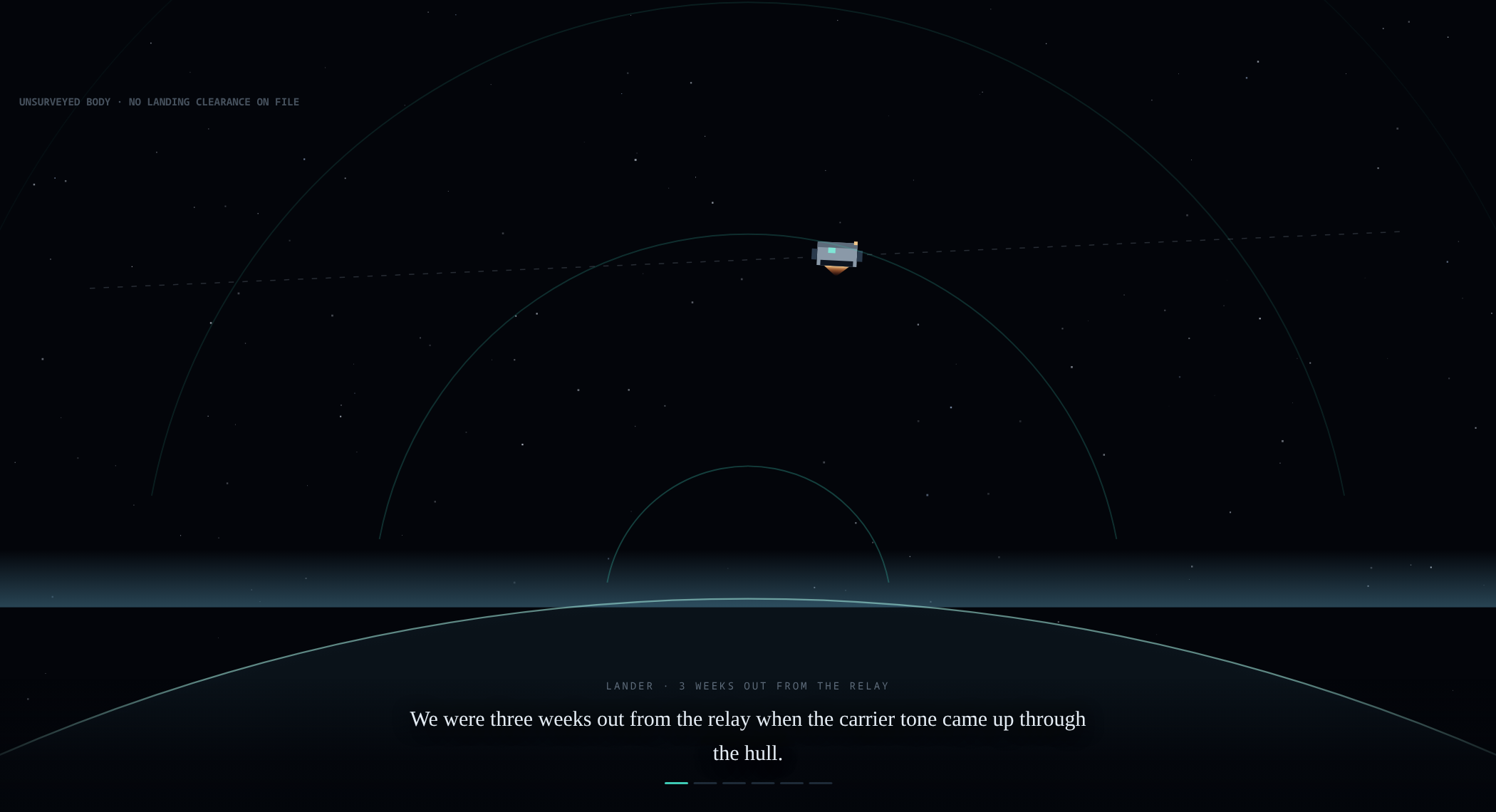
    Shot one of the Orbit2D intro: the lander on its relay course with the planet's limb below and rings of the carrier tone rising to meet it

    It was already written

    The temptation with an intro is to invent a bigger story for it. I did not need to: the first
    log fragment in the game, the one the crew wrote before landing, already says exactly what
    happened, and it is more interesting than a crash.

    For the record, because someone will ask: the descent was not a failure. We were
    three weeks out from the relay when the carrier tone came up through the hull — steady, patterned,
    coming from the surface of a world that no survey has ever cleared for landing. Command said hold
    course. I put us down.

    That is the cutscene. The tone arriving through the hull, the pattern that is too tidy to be
    geology, the order that said do not descend, and one commander deciding to ignore it. Every line
    of narration is taken from that fragment, so the intro cannot drift away from the story the rest
    of the game tells — and a player who reads the log twenty hours later finds the words they already
    heard on the way down.

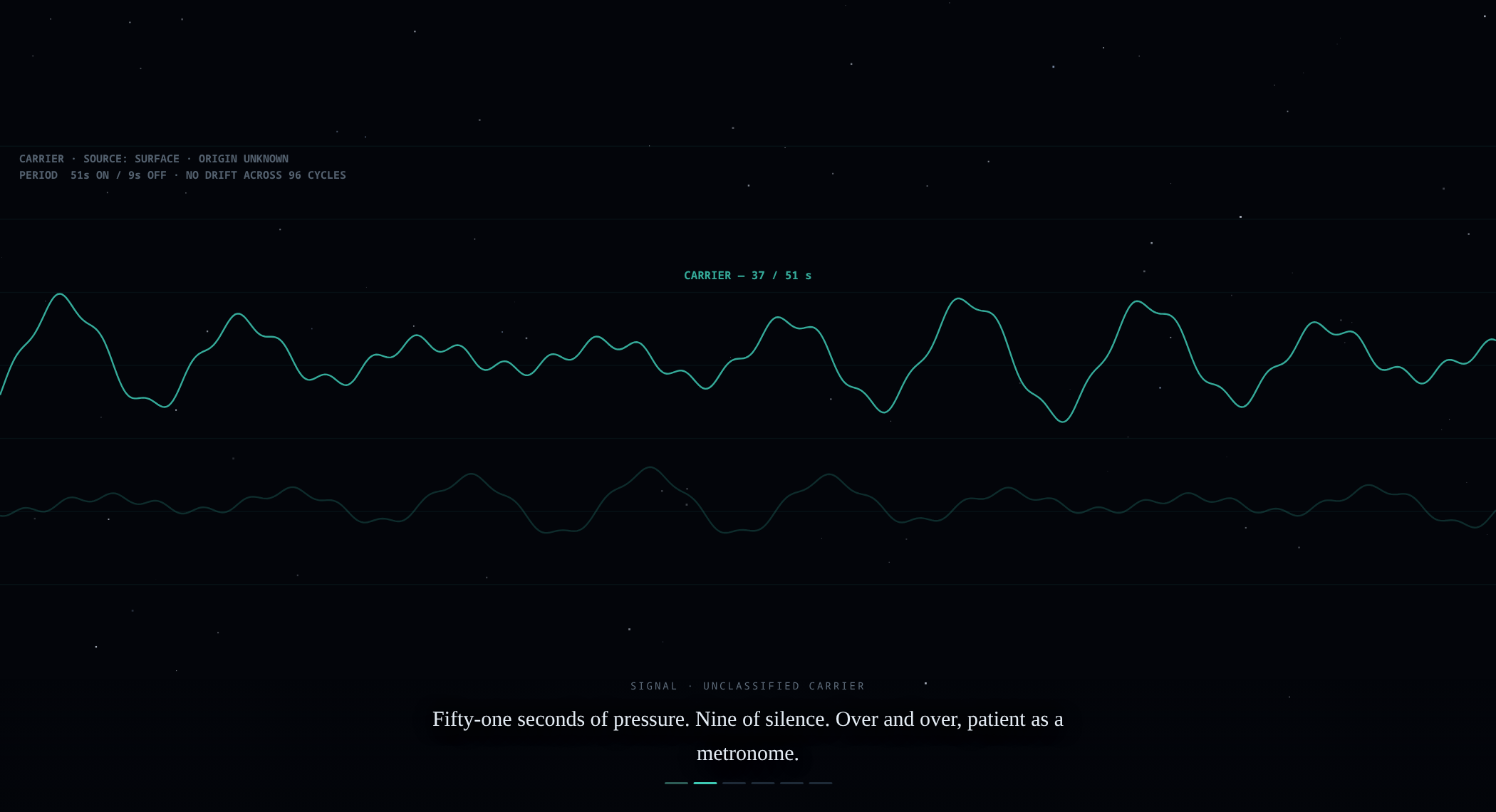
    The signal shot is the one I kept fiddling with. The tone in this game has a specific rhythm —
    fifty-one seconds of pressure, nine of silence — and it turns up in the geyser fragment, in the
    ending, and in what the monolith finally does with it. So the oscilloscope counts. It really is
    51 on and 9 off, with the counter running, because a shape that looks like a signal is
    worth much less than one the rest of the game agrees with.

    Shot two of the Orbit2D intro: an oscilloscope trace of the carrier tone with a counter reading 37 of 51 seconds

    The last three shots are your world, not a stock planet

    This is the part I would defend hardest. There are twenty seeded worlds, and the intro plays
    after the one you picked has been generated — so the entry burn comes down onto that
    world’s real height map, the touchdown sits on the actual cleared landing site the generator chose
    for your pod, and the sky, haze and weather are that region’s. Land on the Fungal Basin and the
    air has spores drifting in it. Land on Ash Flats and dust blows sideways past the hull. The
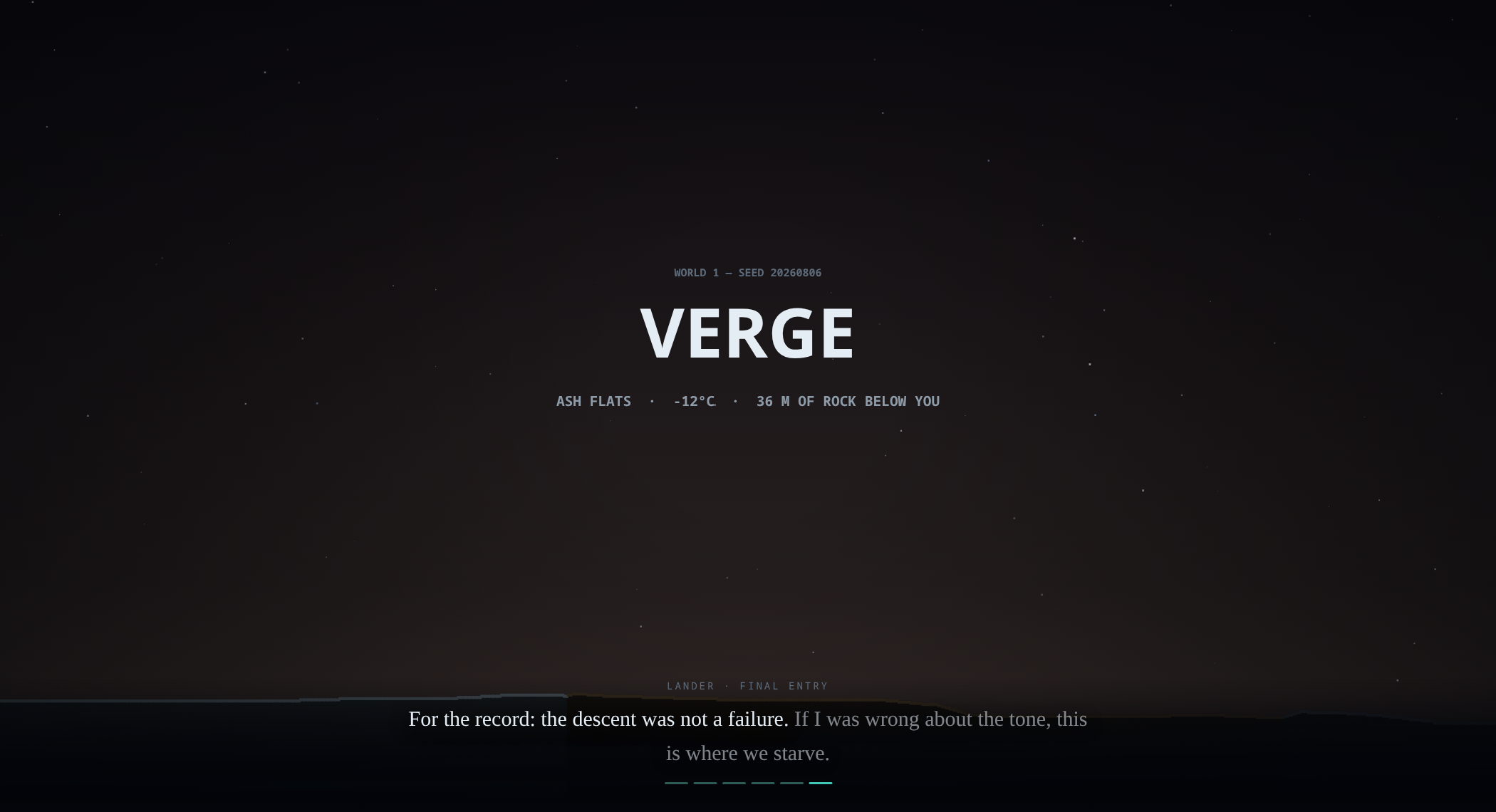
    closing card reads the world number, the seed, the region, the temperature you are about to stand
    in, and how much rock is underneath you.

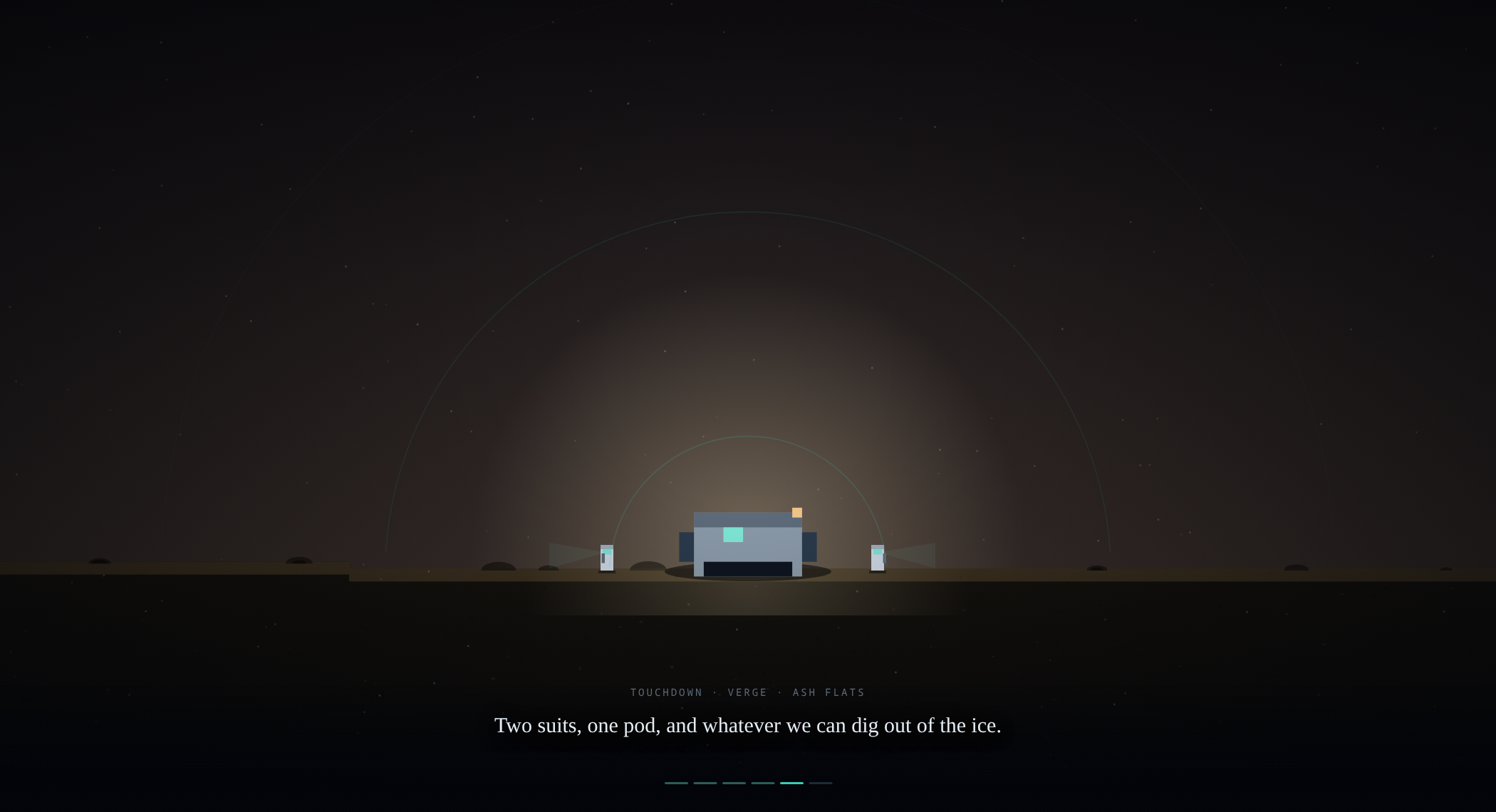
    Shot five of the Orbit2D intro: the pod down on the real terrain of the chosen seed with its lamp lit and two suits stepping out

    Nothing in those frames is an illustration of the game. They are the game, at a different
    camera height, which is why they cost about seven kilobytes of code and no assets at all. The
    whole file is still one HTML document.

    Shot six of the Orbit2D intro: a card reading world 1, seed 20260806, VERGE, Ash Flats, minus 12 degrees, 36 m of rock below you

    Rules I set for it before writing a line

    Cutscenes are the most easily hated thing in games, and always for the same reasons. So:

    • It plays on a fresh landing only. Continue an existing base and you go
      straight into the hole. Nobody watches the descent on their fortieth visit.
    • Skip is on screen from the first frame, top right, plus Escape. Tap, click,
      space or the right arrow advances a shot for people who want to read at their own speed.
    • It is replayable — “Watch the descent again” sits in the signal log next to
      the fragments, so skipping is not a permanent decision.
    • The world is frozen while it runs. The main loop returns early, so nobody
      loses forty seconds of warmth, fuel or crop growth to a cutscene. Measured: the game clock drifts
      under 200 ms across a full replay.
    • If it breaks, it gets out of the way. The draw call is wrapped, and any error
      ends the cinematic and drops you into the game instead of trapping you in a black screen.

    The bug worth writing down

    The title screen now advertises the intro in its feature line, which meant reading
    CINE.length inside the boot screen’s setup — and the cinematic module was defined
    below that function in the file. In JavaScript the variable exists at that point but is
    undefined, so reading a property off it threw, and the throw took out the rest of the setup
    routine with it. The title screen still rendered; the intro simply did not exist. Everything
    passed locally because the local run happened before the line was added, and I found it on the
    live site a minute after deploying. Old lesson, freshly relearned: the run that matters is the one
    after the last edit, not the one before it.

    Live now at orbit2d.co as v0.7.1 — pick any of the twenty
    worlds and it opens on that world. Feedback form is still on the title screen and still comes
    straight to me.

  • The ending reads the colony back

    The ending reads the colony back

    The ending was the last thing missing. Last week the game got nine objectives and nine
    recoverable log entries, which gave it a spine and a reason to dig — but the final beat was a
    piece of writing that said the same words to everybody. A hundred hours of colony and a
    twenty-minute sprint to the ridge finished identically. That is the one place a survival builder
    can least afford to stop paying attention.

    So the ending does not tell you anything now. It reads you.

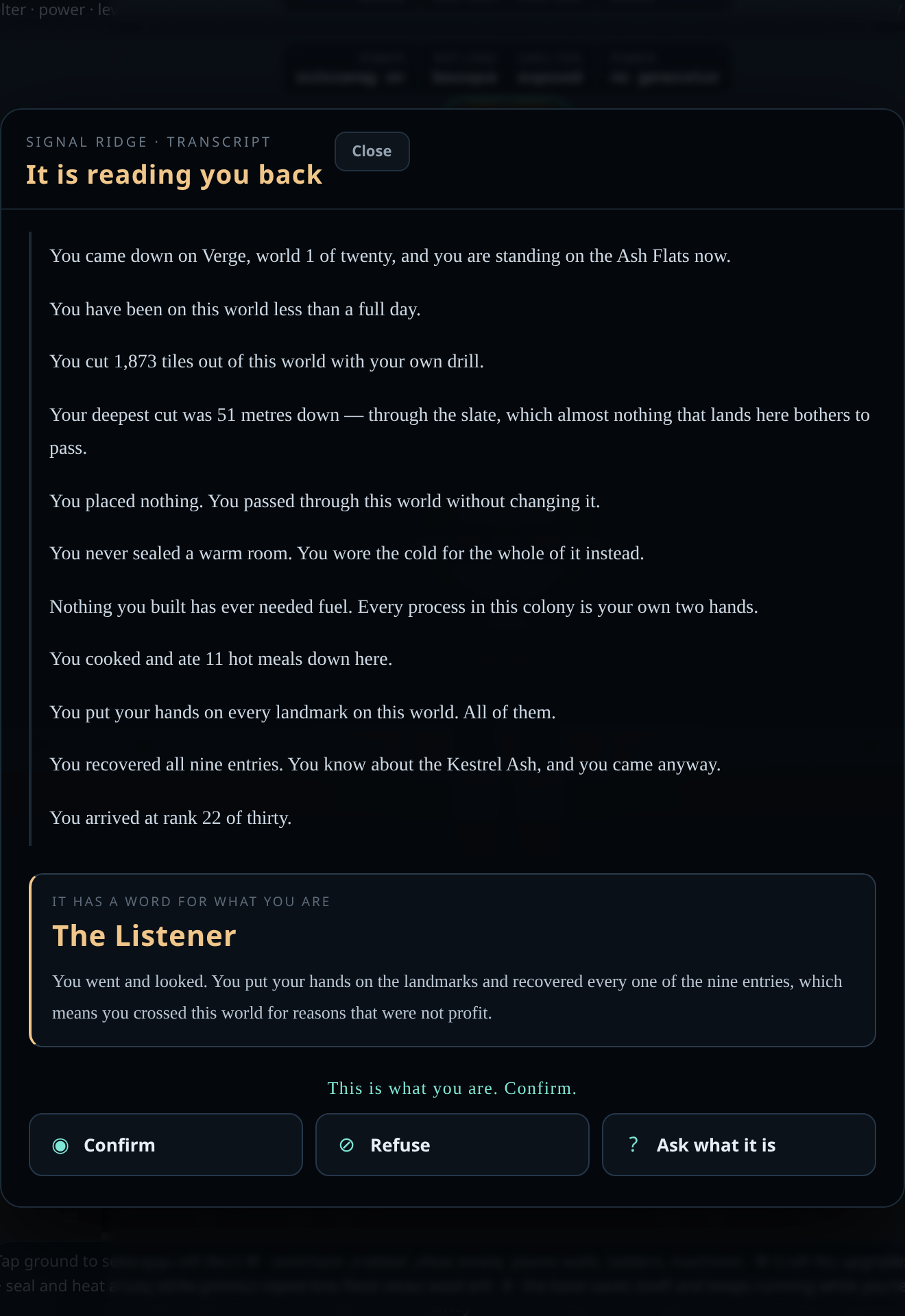
    The Orbit2D ending transcript listing what the player dug, built and never built, with the verdict The Listener and three answers

    Everything on that screen is measured

    When you reach the monolith the game takes one honest snapshot of the colony: tiles cut, pieces
    laid and what kind, how many distinct sealed rooms you are actually holding above freezing,
    whether a generator is running and how many machines draw from it, meals cooked, landmarks
    reached, entries recovered, talents chosen, days survived, depth, rank. Nothing on the list is a
    hidden counter the player could not already see on the HUD — it is all either counted off the map
    at that moment or a number the interface has been showing you the whole game.

    Then it reads them back one line at a time, and this is the part I care about: what you
    never built gets a line too.

    You never sealed a warm room. You wore the cold for the whole of it instead.

    Nothing you built has ever needed fuel. Every process in this colony is your own two hands.

    You came straight here. You looked at nothing else on the way.

    An ending that only lists achievements is a trophy cabinet. The absences are what make it feel
    like something was paying attention, and they cost nothing to write — every positive line already
    needed a fallback branch for the case where the number is zero. I just refused to make the
    fallback bland.

    It has a word for what you are

    Underneath the playback, the colony is scored on six axes — depth, shelter, industry, food,
    exploration and sheer scale — each measured against what a thorough run of that kind looks like
    rather than against the other five. The strongest one names you: The Deep Hand, The
    Sealed Room
    , The Current, The Long Table, The Listener, The
    Builder
    .

    Two of the seven verdicts are not archetypes at all. Score respectably on every axis
    and it declines to reduce you to one thing — you get The Colonist, because no part of the
    colony was neglected enough to be the headline. Sprint to the ridge having built almost nothing
    and you get The Passer-Through, which tells you plainly that the thing reading you back
    has very little to read. Neither is a scolding and neither is a score. They are descriptions, and
    the game earns the right to make them because it can point at the numbers.

    Then it asks, and you answer

    The transcript ends where the story has been pointing since the first survey note: This is
    what you are. Confirm.

    Three answers, each a written passage, none of them the correct one.

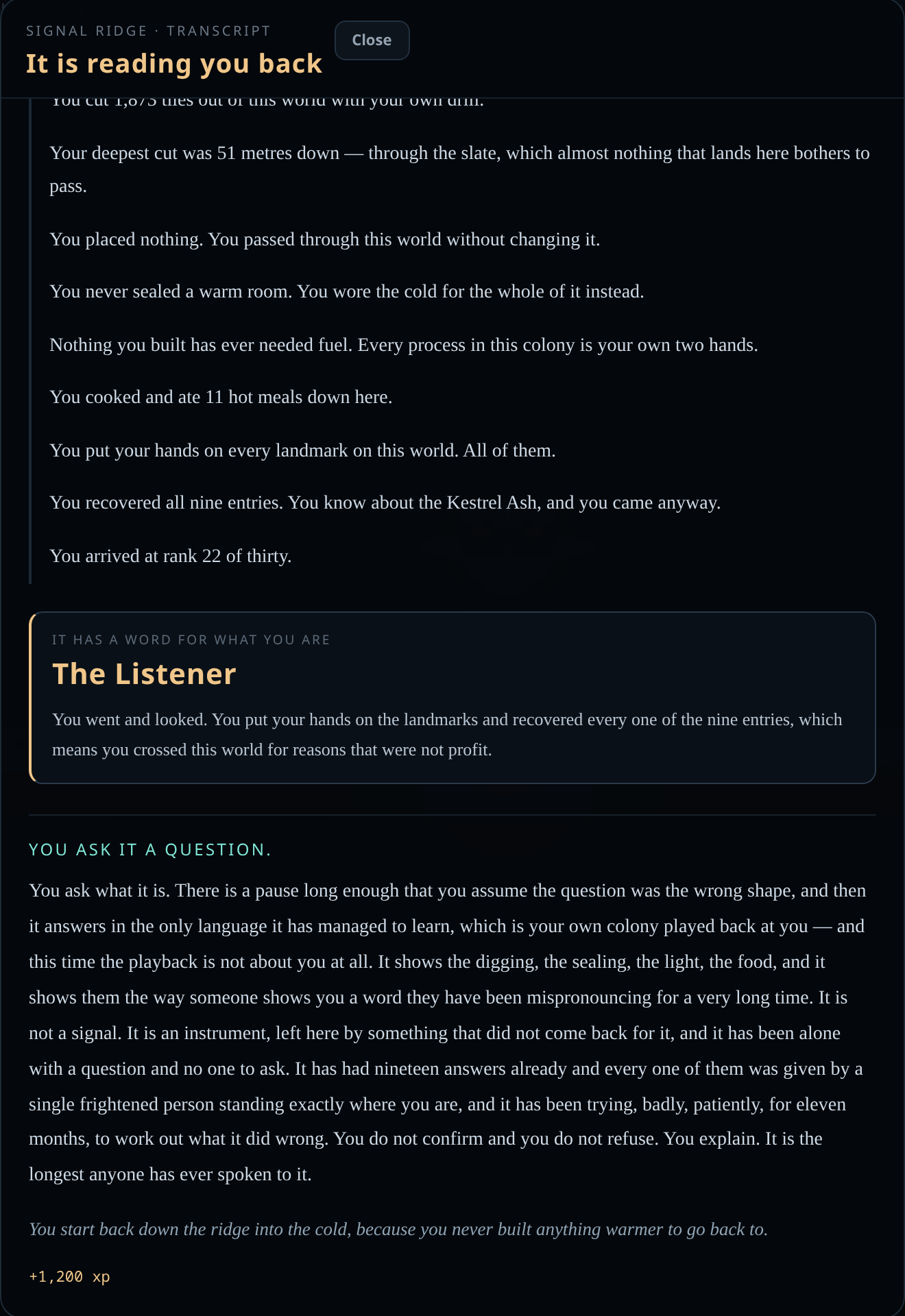
    The Orbit2D ending after choosing to ask the monolith what it is

    Confirm and the pattern stops — not fades, stops — and the gap it had been
    holding open in its own signal turns out to have been your size. Refuse and you
    tell it that every line of the transcript is true and that is exactly the problem: it read you as
    finished, and a colony is a thing that is not finished. It goes quiet for fifty-one seconds, which
    is the length of its own cycle and possibly the only joke it knows, and then resumes — listening
    rather than calling, waiting for a signal you will send when you are ready to say what you are.
    Ask what it is and you get the answer the whole game has been arranged around: it
    is not a signal, it is an instrument, left here by something that did not come back for it, and it
    has had nineteen answers already — every one given by a single frightened person standing exactly
    where you are. It has been trying, badly and patiently, for eleven months, to work out what it did
    wrong.

    All three pay the same reward, because I do not want anyone opening a wiki to find out which
    ending is the good one. And whichever you pick, the closing line is drawn from your colony too: if
    you never sealed a warm room, you start back down the ridge into the cold, because you never built
    anything warmer to go back to.

    Small things that mattered more than they should

    The transcript is deliberately plainer than the rest of the interface — serif text, one line at
    a time, no glow — because it is a document, not a HUD. There is a Skip for anyone who has read it
    before. It is saved with the snapshot it was generated from, so re-reading it from the signal log
    months later shows the colony as it was at the ridge, not as it is now.

    And two ordering bugs I only found by looking at the thing rather than at the test output: the
    ending could re-open over itself if the last objective completed while it was already on screen,
    and because it sits above every other panel it could bury an unspent talent point’s picker
    underneath it. Modals that arrive on timers need to check the world again at the moment they fire,
    not only at the moment they were scheduled.

    Where this leaves the prototype

    Twenty seeded worlds, thirty ranks with a talent every fifth, shelter and power and food,
    persistent saves with offline progress, nine objectives, nine log entries, seven verdicts and
    three endings — and a feedback form on the title screen that reaches me within a couple of hours.
    The story layer is done.

    What it has not had is players who are not me. That is the next thing, and it is worth more
    than another system: I will write better content knowing where real people actually got stuck.
    Play it, answer the tone however you like, and tell me what dragged.

  • Feedback that arrives, and a reason to dig

    Feedback that arrives, and a reason to dig

    Two things went in this week, and they belong in the same entry because they are the same
    idea from opposite ends: the game now asks the player what they think, and it finally tells the
    player what they are doing here.

    Part one: a feedback form that actually delivers

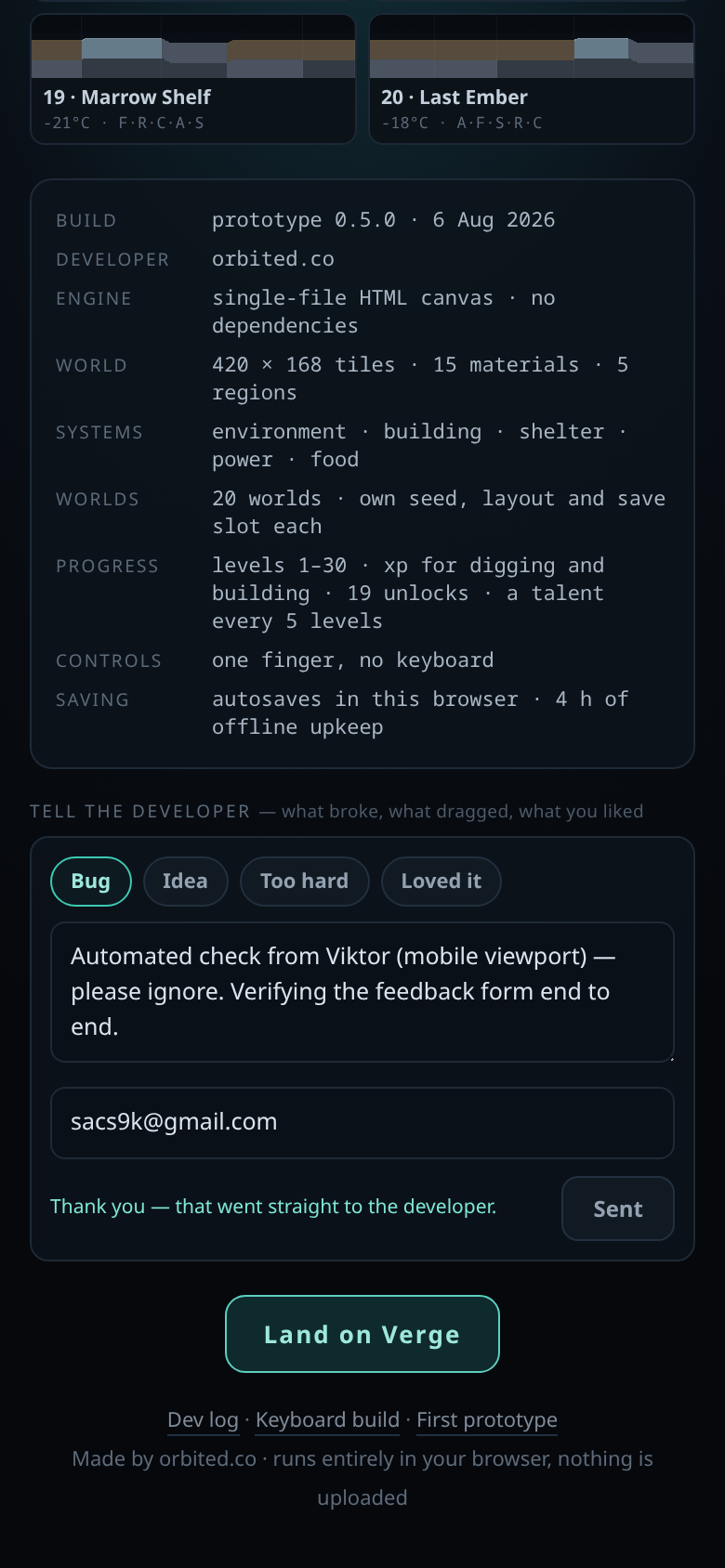
    There is a panel on the title screen now. Four tags — Bug, Idea, Too hard, Loved it — a
    message box, and an optional email if you want a reply.

    The feedback panel on the Orbit2D title screen, with Bug, Idea, Too hard and Loved it tags

    The part worth writing down is what every message carries with it. A player who says “it
    broke” has told you almost nothing. So each message automatically arrives with the world number
    and name, the level and how many pieces were placed, the build version, the viewport size, and
    whether the session was touch or pointer. That is the difference between a complaint and a bug
    report, and it costs the player nothing.

    Then the interesting failure. The obvious implementation is to have the endpoint email me
    directly, and that is what I built first. It did not work — and it did not work in the worst
    possible way, which is silently. PHP’s mail() returned success and nothing arrived,
    because the domain’s SPF record does not list the web server, so every message failed
    authentication and was dropped before it reached an inbox. Had I trusted the return value, I
    would have shipped a form that swallowed feedback for weeks and concluded nobody had any.

    The fix separates storing from sending. The endpoint’s only job is to validate and append the
    message to a file outside the document root, which either works or fails loudly. Delivery is a
    separate scheduled job that reads anything new over a token-protected endpoint and emails it
    from an address that passes authentication, keeping a cursor so nothing is sent twice and nothing
    is lost if a send fails. Store first, deliver second, and never let the delivery layer be the
    thing that owns the data.

    Housekeeping, since this is a public form: a honeypot field, a five-per-hour cap per address,
    a 1,400-character limit, control characters stripped, and IP addresses hashed rather than stored.
    My email address is not in the page source, so it cannot be scraped out of the game.

    Part two: the game now has a story

    Orbit2D had a premise sitting unread in its own scenery. There is a Signal Monolith described
    as the source of a carrier tone. There is a derelict hauler captioned “someone was here first”.
    You wake up in a crash pod. None of it went anywhere, and a new player’s honest reaction to the
    first two minutes was: dig what, and why?

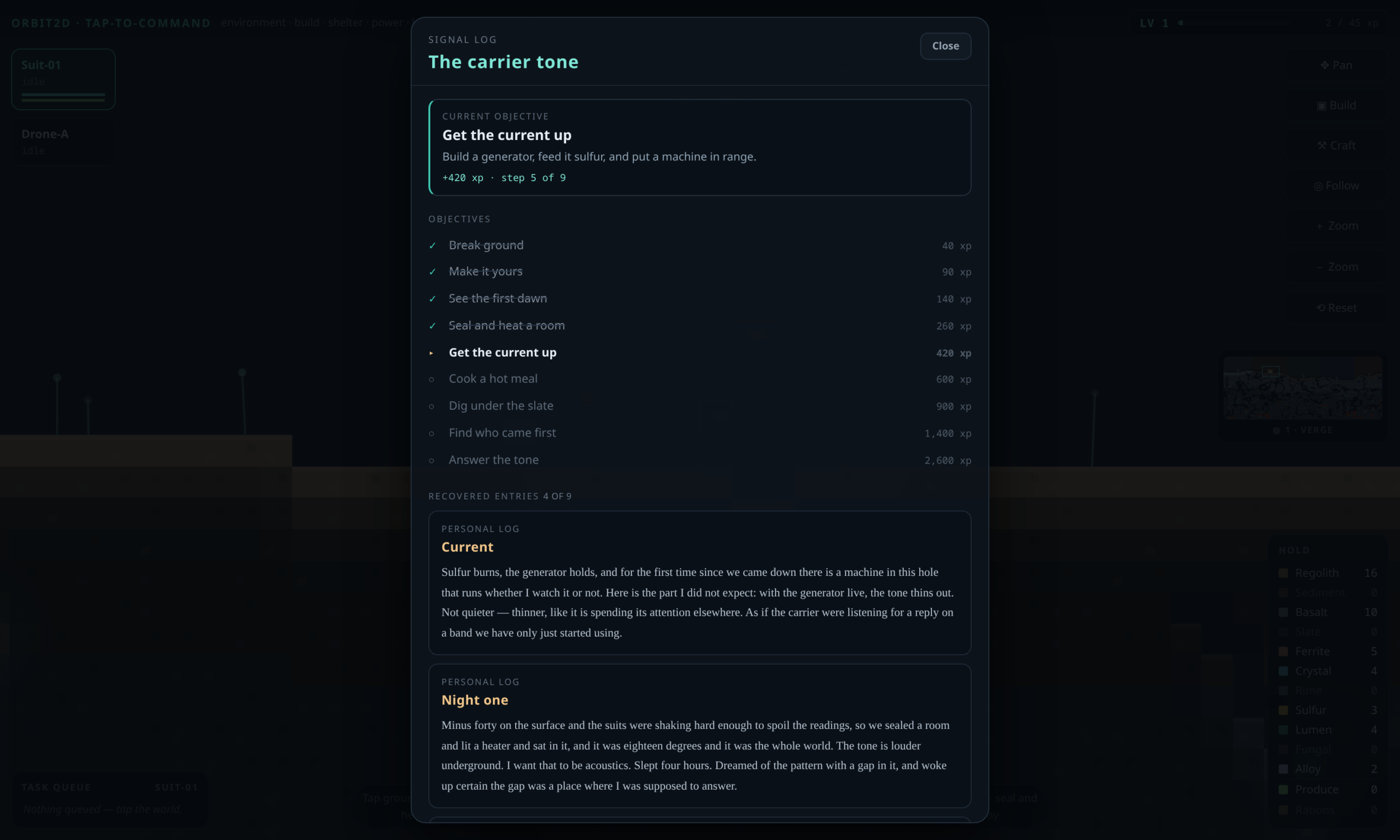
    The Orbit2D signal log showing nine objectives and recovered log entries

    The answer is deliberately not a cutscene. It is two layers.

    Nine objectives, satisfied by playing

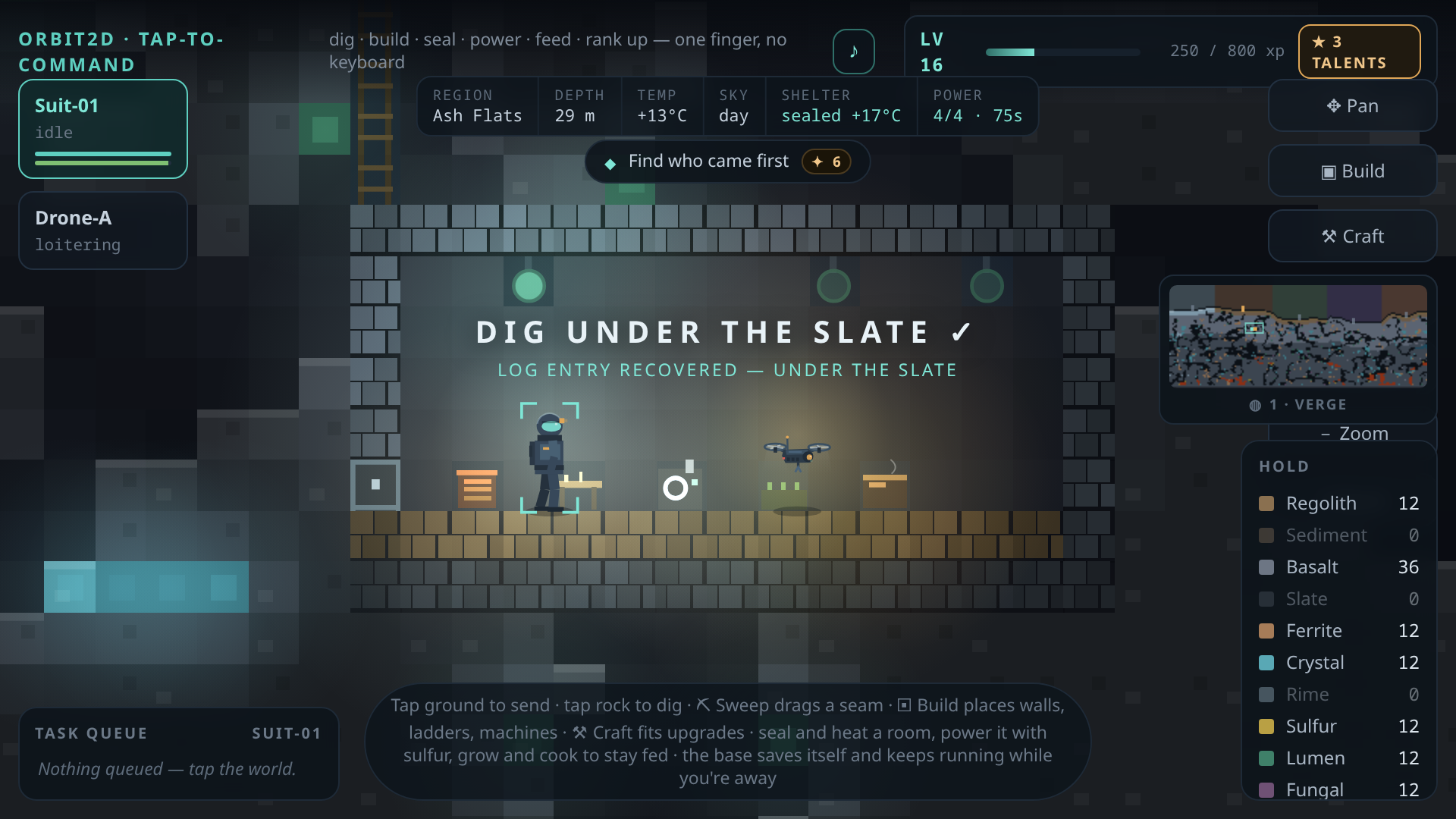
    One objective is shown at a time, on a pill under the readouts: break ground, make it yours,
    see the first dawn, seal and heat a room, get the current up, cook a hot meal, dig under the
    slate, find who came first, answer the tone.

    Every one of them is checked against live game state rather than a scripted trigger. “Seal and
    heat a room” reads the same shelter calculation the HUD displays, so what you see is what the
    objective reads. “Get the current up” asks the power grid whether a generator is running and a
    machine is actually drawing from it. Nothing is a trigger volume. A player who never looks at
    the objective list completes it anyway by playing well, which is the only version of this I am
    willing to ship — the objectives describe the game, they do not fence it.

    They also fix a real structural problem. The reward curve runs to level 30 and the back half
    of it had nothing pointing at it. The spine is weighted so that finishing it carries a player to
    somewhere around rank 18, which means the late ranks are now the reward for a journey rather
    than a grind with no destination.

    Nine log entries you have to earn

    The other layer is the reading. Nine written fragments — the lander’s final entry, survey
    notes from the geyser and the grove, personal logs from the first night and the first working
    generator, the recovered crew log of the hauler Kestrel Ash, and what is waiting on the
    ridge. They unlock from reaching landmarks and from passing milestones, so exploring and
    progressing feed the same log.

    They are written as documents, not exposition. The survey note about the geyser observes that
    it vents on a fifty-one second cycle and remarks that nothing geological is that tidy. The note
    from the fungal basin observes that every stalk leans toward the ridge, and admits the writer is
    trying not to use the word “cultivated” in an official log. The hauler’s log is nineteen people
    who landed intact, dug in, ate well, lasted eleven months, and then walked to the ridge one at a
    time. Its last line is the thesis of the whole game: the tone is not a distress call, because
    distress calls do not wait.

    One small interaction detail I am pleased with. Completing an objective can push a level, and
    a level opens the talent picker — which meant a modal could slam over a log entry mid-sentence.
    The picker now waits until you have closed the log. Interrupting someone reading is a worse sin
    than delaying a reward by four seconds.

    What is next

    The third layer is consequence: making the ending respond to how the colony was actually
    built — how deep, how sealed, how well fed, and at what rank you arrived. The groundwork is in,
    because the game now tracks the things that would need to be read.

    Until then: nine objectives, nine entries, twenty worlds, thirty ranks, and a form on the
    title screen that genuinely reaches me. Play it, then tell me what dragged.

  • Twenty worlds — why the answer to “make it bigger” was “make it again”

    Twenty worlds — why the answer to “make it bigger” was “make it again”

    The question that started this round was a good one: is it worth making the world bigger? The honest answer was no. 420 columns is already more ground than a two-person crew can exhaust, and doubling it would only have added walking. What the game was short of was not space — it was reasons to start again.

    So instead of one world twice the size, there are now twenty.

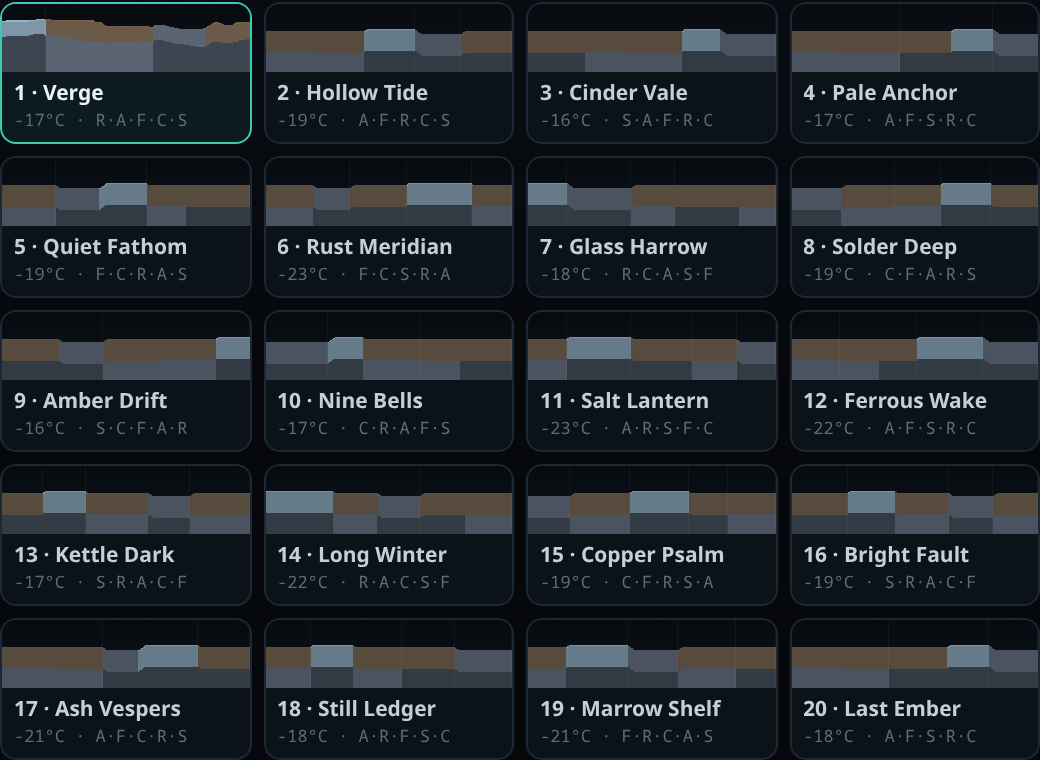
    Twenty world cards on the Orbit2D title screen, each with a terrain preview, mean temperature and region order

    What a seed actually changes

    A seed is not a decoration on the same map. It does three separate things.

    First, it offsets every noise lattice in the generator. Terrain relief, cave worms, the deep chambers, the brine and magma pools, ore seams, lumen moss and surface flora all read from the same shifted lattice, so they change together and stay consistent with each other. One number moves the whole world.

    Second, it shuffles the regions. All five always appear — Rime Shelf, Ash Flats, Fungal Basin, Crystal Fault, Signal Ridge — but their order west to east and how much of the world each one owns are drawn from the seed, with a floor of 54 columns so no region gets squeezed into a token strip. On world 6 the Rime Shelf is 111 columns of ice in the east; on world 3 it is 65 columns wedged between the basin and the fault.

    Third, the landmarks move with their regions. The Rime Geyser is always on the Rime Shelf and the Spore Grove is always in the Fungal Basin, because a landmark that turns up in the wrong biome stops meaning anything. They keep their homes and get jittered inside them.

    The crash pod is placed with one rule I am fairly firm about: never on the Rime Shelf and never on the Signal Ridge. Landing at −58 °C with no shelter, no heater and no levels is not a start, it is a death. So the crash site rotates between the Ash Flats, the Fungal Basin and the Crystal Fault, which changes the opening of the game without making it unfair.

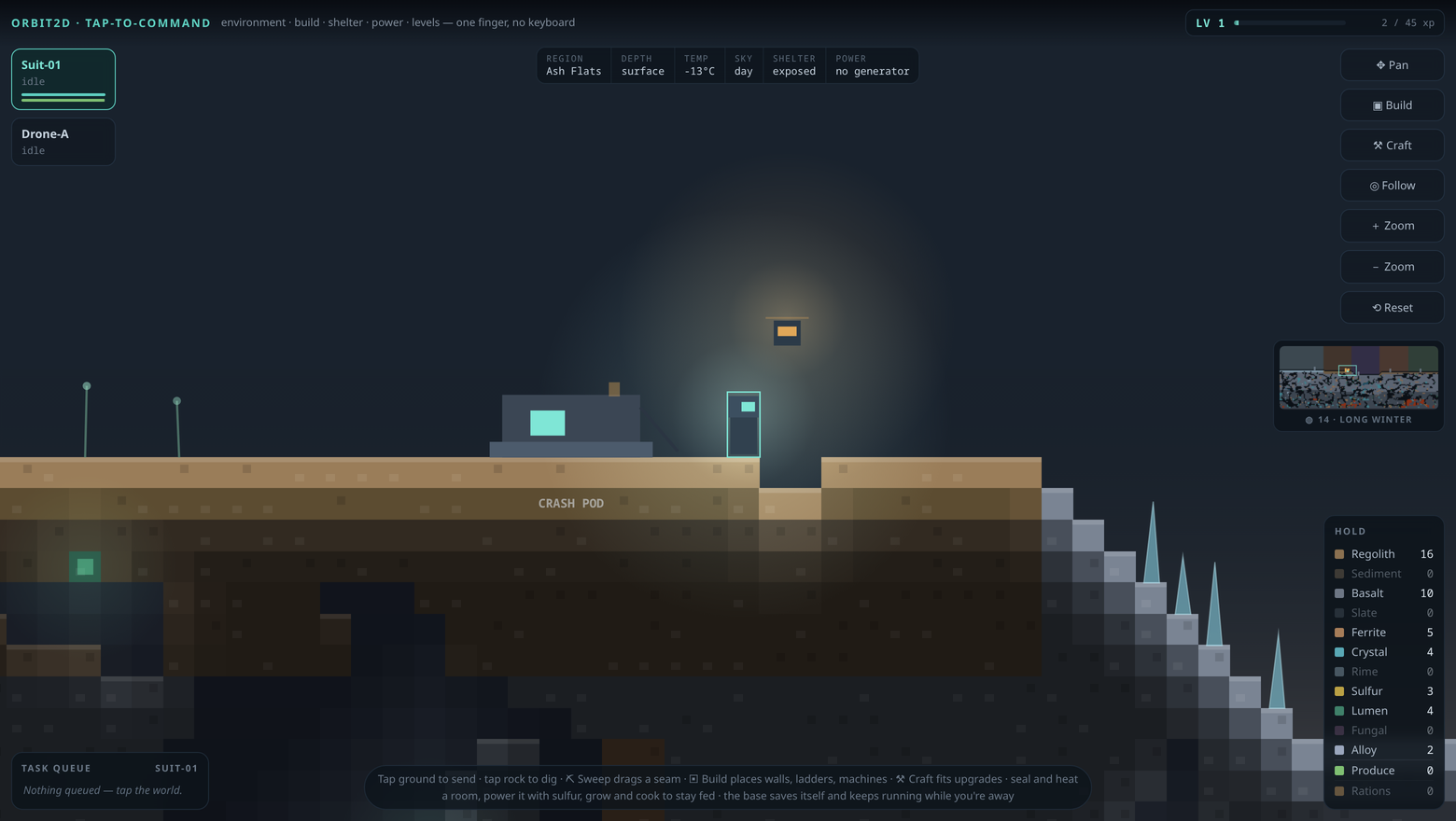
    Orbit2D gameplay on world 14, Long Winter, with the survey panel naming the world

    Twenty previews for 30 milliseconds

    The obvious problem with a world list is that a world costs 70,560 tiles to generate. Twenty of those on the title screen would be a two-second stall for something you look at for a moment.

    The fix is that a preview does not need tiles. The generator’s first pass computes 420 columns of surface height and strata depth, and that — plus the region layout — is enough to draw a recognisable cross-section. So the previews run the relief pass only: 420 columns instead of 70,560 tiles, twenty worlds profiled in about 30 milliseconds, and the strip at the top of the screen is the real shape of the world you are about to land on.

    The full generator now runs when you pick a world, not when the page loads. That turned out to be the tidier design anyway: “New expedition” used to need a page reload, and now it doesn’t, because nothing has been built yet.

    Twenty worlds means twenty bases

    Each world has its own save slot, its own base, its own inventory and its own level, xp and talents. Starting world 7 does not touch your level 14 base on world 1. A save records which world it belongs to and refuses to open in any other, and a small index of what is in each slot lets the picker show “LV 12” on a card without parsing twenty 27 KB saves. The survey panel now names the world you are on, and tapping it takes you back to the list.

    World 1 is called Verge, and it is deliberately untouched — its offset is zero and its region spans are hardcoded, so it generates exactly as it did before any of this existed. If you had a base there, it is still there, in the same rock.

    Two bugs worth admitting

    Deferring generation exposed a real one. The game autosaves when you close the tab — and with the title screen up, “the game” was an empty world of nothing but air. Open the page, close it without pressing anything, and you would come back to a cheerful “Base found” that dropped the crew into a void. Saving is now gated on a world actually existing.

    The second one had been quietly live for a while. When a save was loaded, the generator fuel and crop growth tables were reassigned rather than refilled, which left every other reference pointing at the old object. The visible symptom was that offline progress after a reload under-reported what your planters had grown. Refilling in place fixed it, and the away summary now reads honestly: “33 grown · 17 cooked · 40 sulfur burned”.

    What this does and doesn’t fix

    To be straight about it: twenty worlds is replay value, not depth. The hole I pointed at before this round is still there — every unlock in the game lands by level 18, so levels 19 to 30 cost about four-fifths of the total xp and hand out three talent cards. Variety in the ground you start on does not fill the back half of the curve. Deep strata and late-game machines are still the next job.

    Play it here — twenty worlds, one finger, no keyboard.