Every version of Orbit2D so far has had the same quiet assumption baked into it: you are stuck.
You crashed on a rock, the wreck of your lander is the warmest thing for a hundred miles, and the
only direction available to you is down. Dig, build, seal, heat, survive. It is a good loop.
It is also, after enough hours, a loop with a ceiling — you get the colony working and then you are
just a very competent person who lives in a hole.
Version 0.12 takes the ceiling off. The wreck is no longer scenery. It is a project.
The lander is a build, not a button
There are six parts to fit, in a deliberate order, at the wreck itself: a hull patch,
landing gear, a drive coil, fuel tanks,
life support and a guidance core. Each one costs materials, and the
list gets less friendly as you go: the hull wants ferrite and basalt, the sort of thing you trip over.
The guidance core wants ten crystal, six alloy and eight lumen, which means deep shafts, a working
smelter and a reason to have bothered with lighting. Each part also has a rank gate, from 8 up to 20,
so nobody rebuilds a spacecraft in their first twenty minutes.
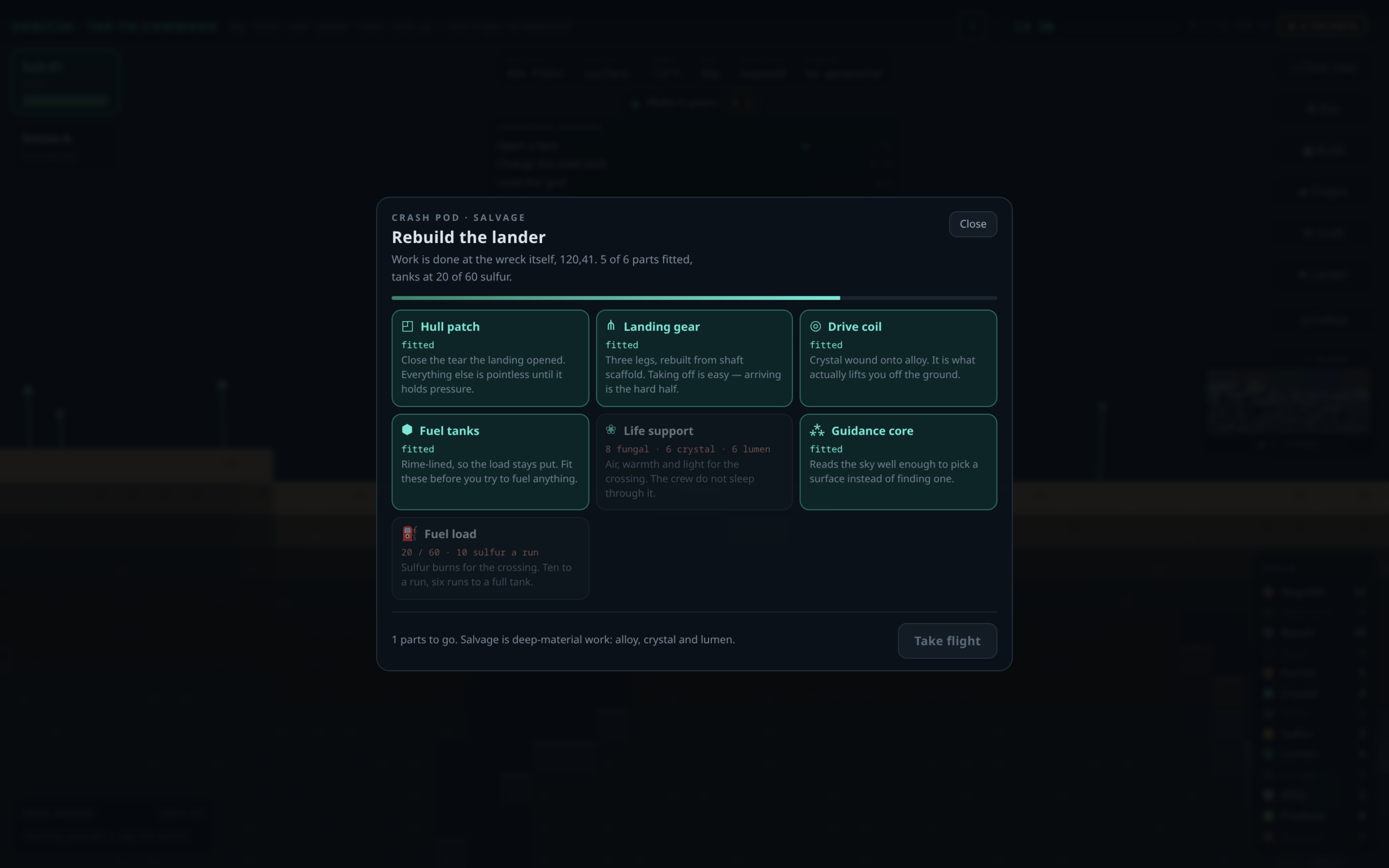
Crucially, fitting a part is not a menu transaction. It goes into the same task queue as digging
and building, and a crew member walks to the pod and does the work. That was the whole design goal.
A player wrote in after a twenty-minute session saying they had reached rank 15 and not really
done anything — the colony had reached the point where it ran itself and the orders dried up.
The lander is six long, expensive, staged jobs that sit on top of the existing economy and give the
mid-game something to be for.
Fuel is a supply chain, briefly
Once the tanks are on, the last stage is fuel: sulfur, ten units a run, six runs to a full tank of
sixty. It is a small thing and it is intentionally the last thing, because it turns the final stretch
of a rebuild into a rhythm rather than one enormous payment. You watch the bar fill. You get to feel
close.
Then you pick a surface
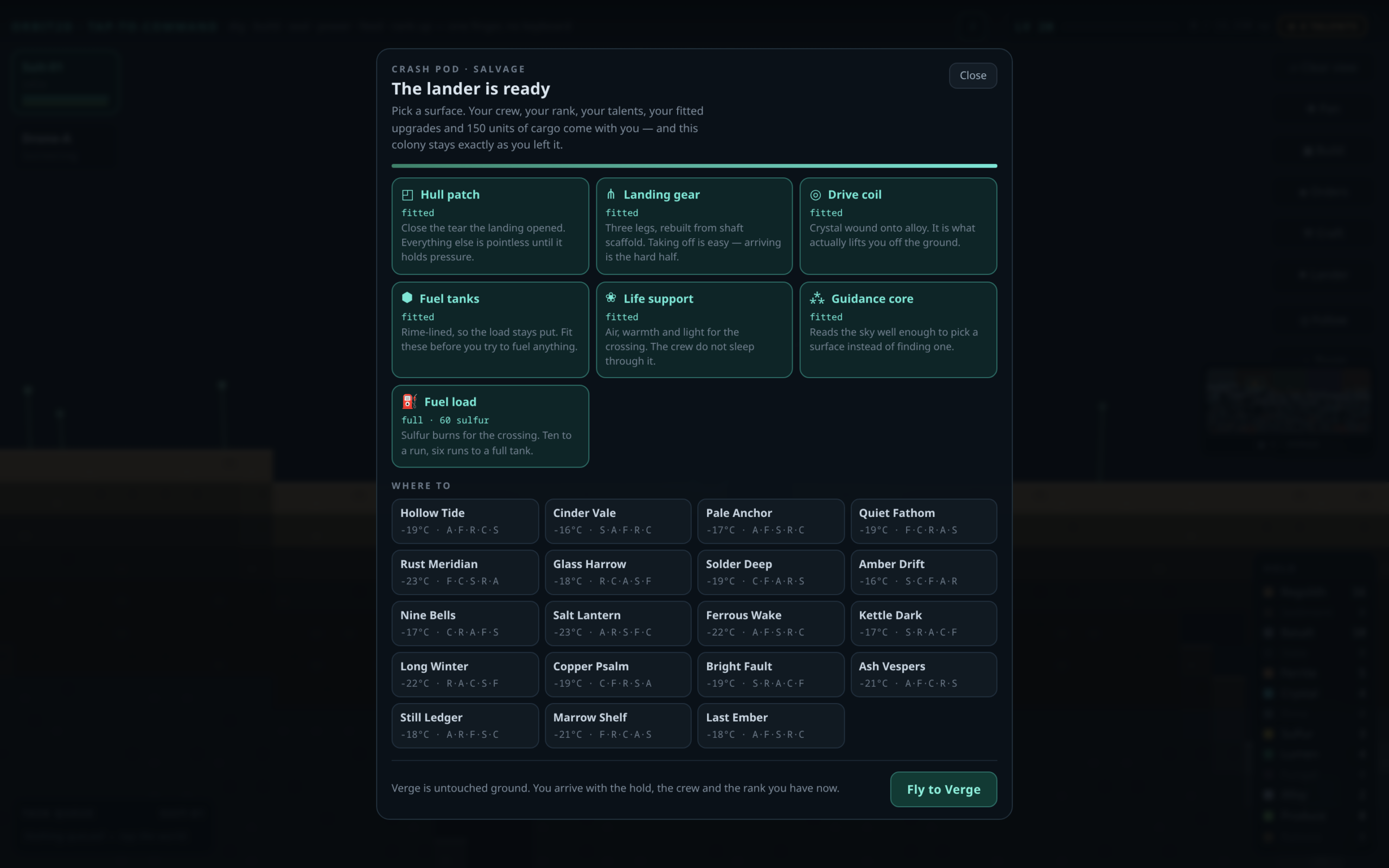
With everything fitted and the tanks full, the panel changes its mind about what it is. It stops
being a shopping list and becomes a departures board: every world you can already dig is a landing
site, listed with its surface temperature and its material profile, so choosing where to go is an
actual read of the map rather than a coin toss. Worlds where you already have a base are marked, and
landing there puts your cargo straight into that colony’s hold.
You can take 150 units of cargo, capped at 40 of any single ore. The cap is the
interesting number. Without it you would fill the hold with alloy, land, and skip the first two hours
of the next world — which sounds like a reward and is actually a way of deleting the best part of the
game. Forty each means you arrive with a real head start and still have to dig.
What survives the crossing
Your crew come with you. Your rank, your XP and every talent you have unlocked come with you. Your
cargo lands in the hold. And the colony you left stays exactly as you left it — it is
banked, not consumed, and you can fly back to it later and find the lights still on. That was
non-negotiable. Nobody should be asked to choose between seeing a new world and keeping the one they
spent a week on.
What does not survive is the lander. Landing spends it again, so every hop starts with a
wreck, a cold horizon and six parts to find — but with a commander who knows what they are doing.
That is the shape of the whole phase: the game gets harder to leave and easier to be good at.
Housekeeping
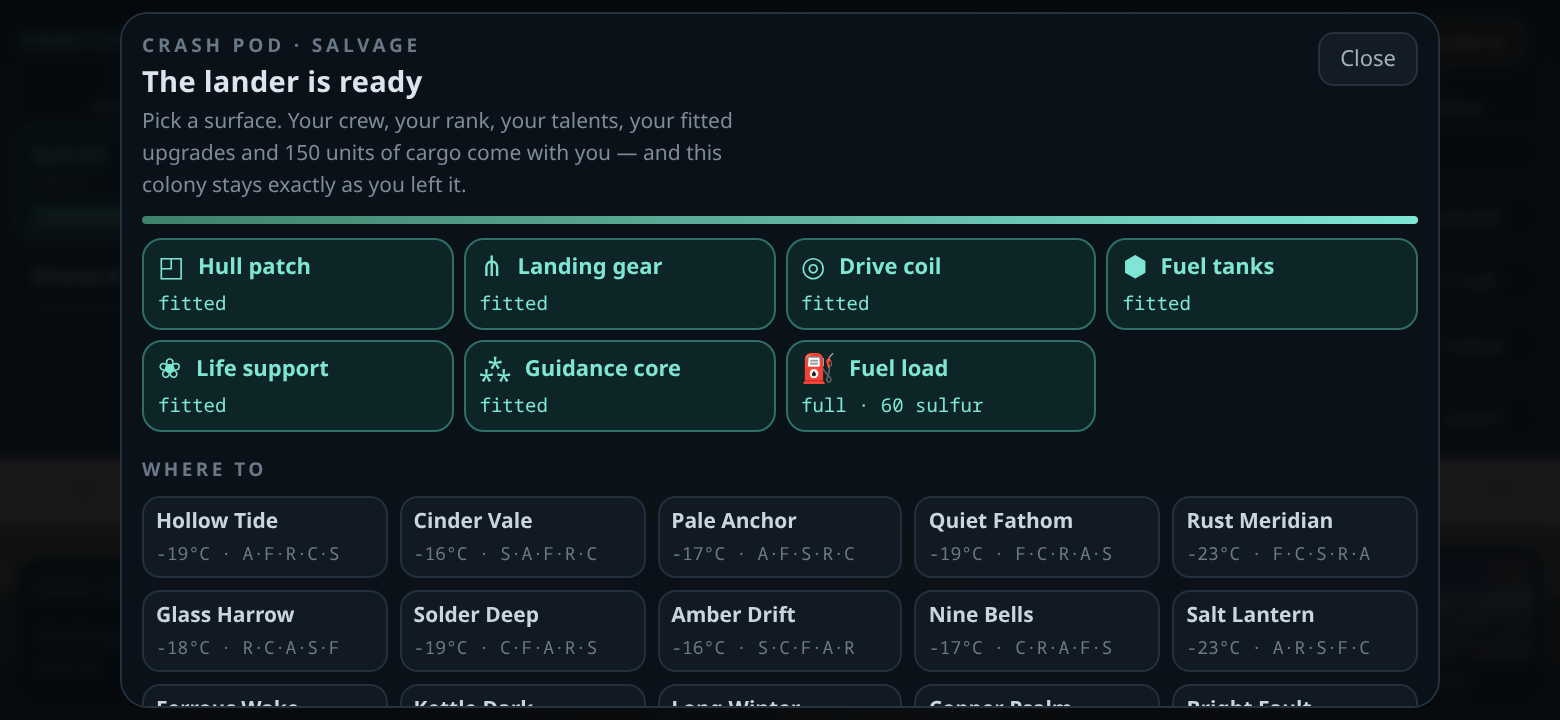
The lander panel got the same short-screen treatment the rest of the interface got a few versions
ago. On a phone held sideways the part cards drop their descriptions and compress into a tighter grid,
the destination tiles shrink, and the whole thing fits without an expedition through a scrollbar.
The save format is deliberately unchanged. Existing colonies load exactly as they
were, with an empty lander waiting at the wreck, and the installed Android app reads them fine. The
flight log persists across reloads. Thirteen regression checks cover the rebuild, the fuel maths, the
cargo cap, the launch, the arrival and a pre-0.12 save opening cleanly — all green before this went
out.
Live now at orbit2d.co, and in the Android build on the
download page. Rebuild the thing that broke you, and go and see
what the next rock is like. As ever, every world, rank and talent in the game stays free — the flight
phase included.
Leave a Reply